-
The Power of Local S3 Storage Solutions
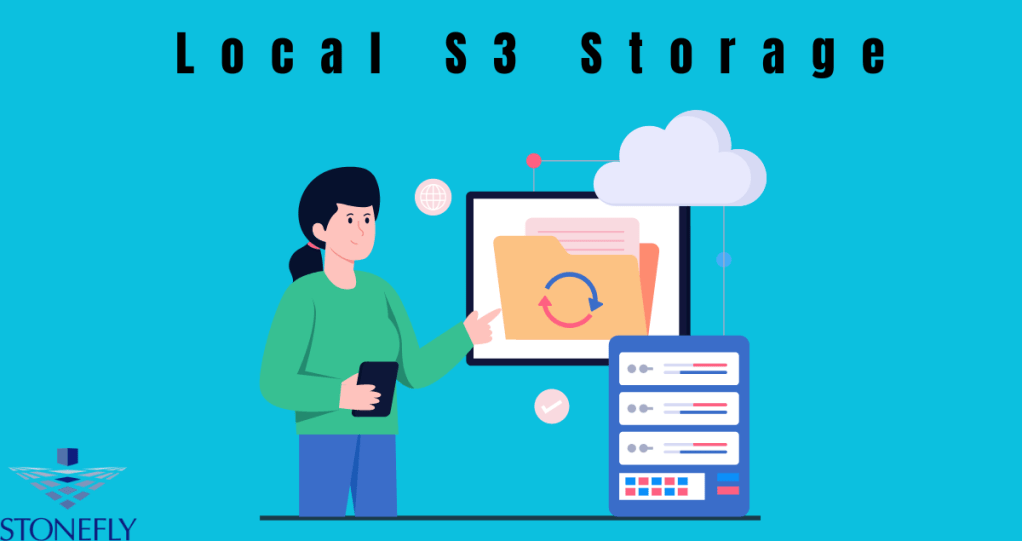
In the realm of data storage, the concept of Local S3 Storage has emerged as a game-changer for businesses looking to efficiently manage and access their vast troves of information. This article delves into the significance of Local S3 Storage solutions, their benefits, and why they are becoming increasingly crucial in today’s digital landscape.
Understanding Local S3 Storage
Local S3 Storage refers to the practice of storing data on local servers in a way that mirrors the functionality of Amazon S3 (Simple Storage Service) without relying on cloud infrastructure. By utilizing this method, organizations can maintain control over their data while still benefiting from the scalability and accessibility associated with S3 storage.
Benefits of Local S3 Storage
- Data Security: One of the primary advantages of Local S3 Storage is enhanced data security. By keeping sensitive information within the confines of local servers, companies can mitigate the risks associated with cloud breaches or data leaks.
- Speed and Performance: Local storage solutions often offer faster data access speeds compared to cloud-based alternatives. This can significantly improve workflows and operational efficiency, especially for applications requiring real-time data processing.
- Cost-Efficiency: While cloud storage comes with recurring subscription fees, opting for local S3 storage can lead to cost savings in the long run. Businesses can avoid paying for unused storage capacity and only invest in resources they actually need.
Implementing Local S3 Storage Solutions
Infrastructure Considerations
In order to successfully implement Local S3 Storage, organizations must ensure that their infrastructure is equipped to handle the storage requirements. This includes having sufficient server space, networking capabilities, and data management systems in place.
Data Migration Strategies
Migrating data from traditional storage methods to a local S3 solution can be a complex process. Businesses must carefully plan and execute their data migration strategies to avoid disruptions or loss of critical information.
Integration with Cloud Services
While Local S3 Storage solutions offer many advantages, they can also work in tandem with cloud-based services. Organizations can still leverage the benefits of cloud computing, such as data backup and disaster recovery, while utilizing local storage for day-to-day operations.
The Future of Data Management
As the volume of data generated by businesses continues to grow exponentially, the need for efficient and secure storage solutions becomes paramount. Local S3 Storage presents a compelling alternative for companies seeking greater control over their data without compromising on scalability and accessibility.
Conclusion
Local S3 Storage solutions offer a versatile approach to data management, combining the advantages of on-premises storage with the scalability of cloud-based systems. By harnessing the power of local servers, organizations can achieve a balance between data security, performance, and cost-effectiveness in an evolving digital landscape.
FAQs
1. Is Local S3 Storage suitable for small businesses?
Absolutely. Local S3 Storage solutions can be tailored to meet the needs of businesses of all sizes, providing scalability and flexibility without the constraints of traditional cloud storage models.
2. How does Local S3 Storage impact data accessibility?
Local S3 Storage enhances data accessibility by offering low-latency access to stored information, enabling faster retrieval and processing of critical data assets.
-
The Ultimate Guide to Air Gap Backup Solutions
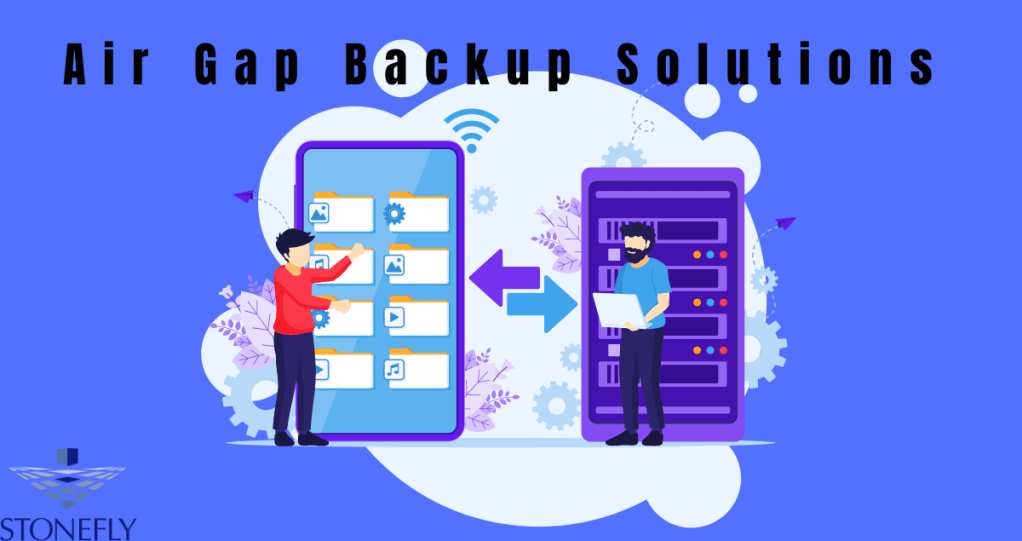
In the realm of data security and backup strategies, one term that often surfaces is “Air Gap Backup Solutions.” This innovative approach to safeguarding critical information has gained prominence in recent years due to its effectiveness against cyber threats. Let’s delve into the intricacies of Air Gap Backup Solutions, exploring its significance, implementation, and benefits.
Understanding Air Gap Backup Solutions
What is an Air Gap Backup?
An Air Gap Backup refers to a method of creating a physical barrier between a network and its backup storage devices. By maintaining this air gap, which can be a physical disconnect or logical isolation, organizations ensure that their backup data remains offline and inaccessible to cyber attacks that target online systems.
How Does Air Gap Backup Work?
When utilizing Air Gap Backup Solutions, data is copied to a storage medium, such as external hard drives or tapes, and then physically disconnected from the network. This isolation prevents malware or hackers from reaching the backup files, providing an added layer of protection against ransomware and other malicious activities.
Benefits of Air Gap Backup Solutions
Enhanced Security
The primary advantage of Air Gap Backup is the heightened security it offers. By segregating backup data from online networks, organizations reduce the risk of unauthorized access or data breaches, ensuring data integrity and confidentiality.
Reliable Data Recovery
In the event of a cyber incident or system failure, Air Gap Backup Solutions facilitate swift and reliable data recovery. Since the backup copies are stored offline, they remain unaffected by online disruptions, enabling organizations to restore operations quickly and minimize downtime.
Compliance Adherence
Many industries, particularly those dealing with sensitive information like healthcare and finance, have stringent regulatory requirements regarding data protection. Air Gap Backup Solutions help organizations comply with these regulations by implementing robust backup practices that mitigate data loss risks.
Implementing Air Gap Backup Solutions
To deploy Air Gap Backup effectively, organizations should conduct a thorough assessment of their data backup needs, identify critical assets requiring protection, and establish a backup schedule that includes regular offline backups. It’s essential to test the backup procedures periodically to ensure seamless data recovery in case of emergencies.
Conclusion
In an era marked by escalating cyber threats, safeguarding data through innovative solutions like Air Gap Backup is paramount. By embracing the inherent security and reliability of Air Gap backups, organizations can fortify their resilience against cyber attacks and ensure business continuity in the face of adversity.
FAQs
1. Why is Air Gap Backup considered a superior data protection strategy?
Air Gap Backup offers unparalleled security by physically isolating backup data from online networks, making it impervious to cyber threats targeting connected systems.
2. Are there any challenges associated with implementing Air Gap Backup Solutions?
While highly effective, Air Gap Backup Solutions may require additional resources for managing offline backups and implementing rigorous backup protocols. Organizations must strike a balance between security needs and operational efficiency when adopting this strategy.
-
Understanding S3 Object Storage
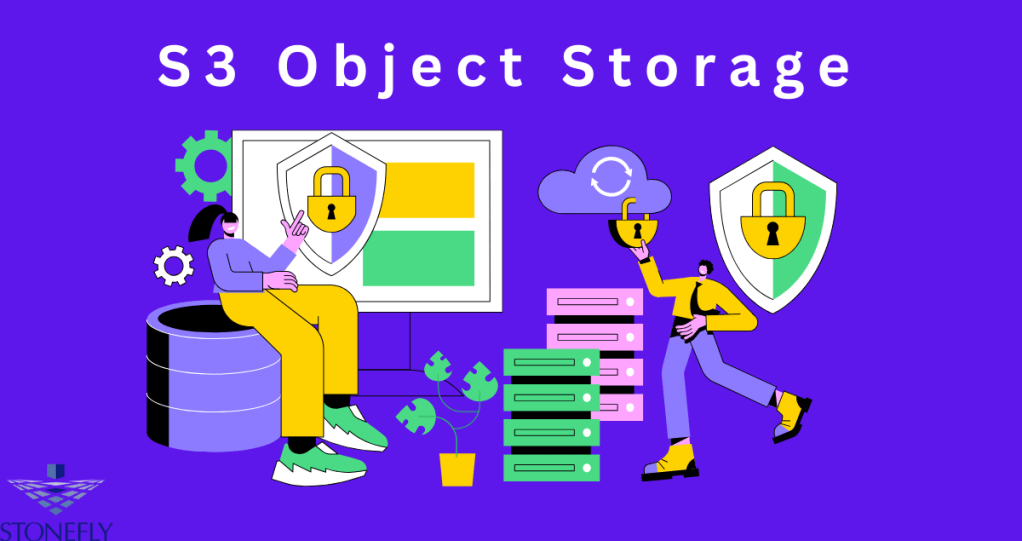
S3 Object Storage is a scalable, high-speed, web-based cloud storage service designed for storing and retrieving any amount of data at any time. It is particularly useful for handling vast amounts of unstructured data, such as photos, videos, log files, backups, and big data analytics. S3 Object Storage allows users to store data as objects within buckets, providing a simple web interface to manage these resources.
Key Features of S3 Object Storage
Scalability:
S3 Object Storage is designed to grow with your data needs. It provides virtually unlimited storage capacity, enabling you to store as much data as required without worrying about hitting storage limits.
Durability and Availability:
Data stored in S3 Object Storage is replicated across multiple devices and locations, ensuring high durability and availability. This replication ensures that your data remains safe and accessible even in the event of hardware failures or disasters.
Security:
S3 Object Storage offers robust security features, including access controls, encryption, and monitoring capabilities. Users can define who has access to their data and apply encryption to protect data at rest and in transit.
Cost-Effectiveness:
S3 Object Storage, you only pay for the storage you use, making it a cost-effective solution for data storage. There are no upfront costs or long-term commitments, which allows for flexible and predictable billing.
Ease of Use:
The web-based interface and APIs make it easy to manage data stored in S3 Object Storage. Users can quickly upload, retrieve, and manage their data using simple commands or through the user-friendly interface.
Use Cases for S3 Object Storage
Backup and Restore
S3 Object Storage is an ideal solution for storing backups. Its high durability ensures that data remains intact and recoverable, while its scalability means you can store as much backup data as needed.
Big Data Analytics
The storage of large datasets in S3 Object Storage supports big data analytics. Users can store vast amounts of data and leverage analytics tools to gain insights and make data-driven decisions.
Content Storage and Distribution:
Whether it’s media files, documents, or other digital assets, S3 Object Storage provides a reliable platform for storing and distributing content. Users can easily share links to stored objects or integrate with content delivery networks (CDNs) for faster distribution.
Disaster Recovery:
By replicating data across multiple locations, S3 Object Storage provides a reliable disaster recovery solution. In case of a site failure, data can be quickly restored from another location, minimizing downtime.
Application Data Storage
Modern applications often require scalable storage solutions to handle user-generated content, logs, and other data types. S3 Object Storage seamlessly integrates with applications, providing a robust backend for data storage.
Conclusion
S3 Object Storage is a powerful, flexible, and cost-effective solution for managing large amounts of data. Its scalability, durability, and security features make it an ideal choice for various use cases, from backups and disaster recovery to big data analytics and content distribution. By leveraging S3 Object Storage, businesses can ensure their data is stored reliably and accessible whenever needed.
FAQs
Q1: How is data organized in S3 Object Storage?
is stored as objects within buckets. Each object includes the data itself, a unique identifier, and metadata.
Q2: Can I control who has access to my data in S3 Object Storage?
Yes, S3 Object Storage provides detailed access control mechanisms that allow you to define who can access your data and what actions they can perform.
-
Comprehensive Guide to Local Object Storage: Benefits and Implementation
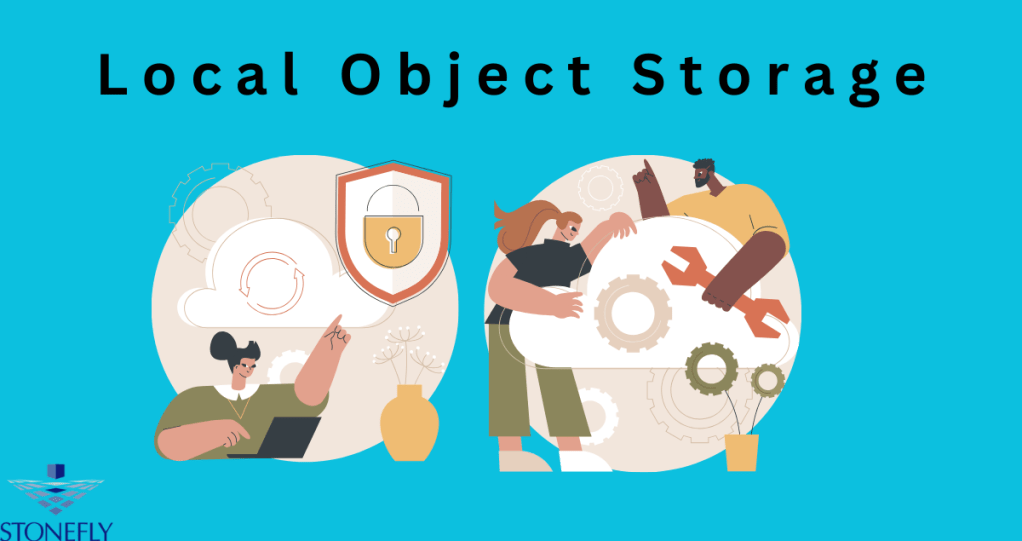
Local object storage has emerged as a crucial technology for managing vast amounts of unstructured data. Unlike traditional file systems, Local Object Storage organizes data into objects, each with its own unique identifier. This system offers significant advantages in scalability, performance, and manageability, making it ideal for modern applications that require high data throughput and accessibility.
Key Benefits of Local Object Storage
Scalability and Flexibility
One of the primary advantages of local object storage is its scalability. Unlike traditional storage solutions that can struggle with large volumes of data, object storage can seamlessly scale to accommodate petabytes of information. This scalability is achieved through the flat address space that object storage employs, which eliminates the hierarchical structure of file systems and allows for easy expansion.
Cost-Effectiveness
Local object storage is also known for its cost-effectiveness. Since it allows for the use of commodity hardware, businesses can avoid the high costs associated with proprietary storage solutions. Moreover, the efficient use of storage space, with features like data deduplication and compression, further reduces costs.
Enhanced Data Durability
Data durability is a critical consideration for any storage solution. Local object storage excels in this area through its inherent data redundancy and erasure coding. These features ensure that even if multiple disks fail, data can still be reconstructed without loss. This makes local object storage highly reliable for critical applications.
Simplified Management
Management simplicity is another hallmark of local object storage. The flat address space and metadata capabilities allow for more straightforward data management and retrieval processes. Additionally, the use of APIs for interaction means that local object storage can be easily integrated with various applications and workflows, enhancing overall productivity.
Implementing Local Object Storage
Choosing the Right Hardware
Implementing local object storage begins with selecting the appropriate hardware. While it is possible to use existing infrastructure, investing in high-capacity, reliable disks can significantly improve performance and durability. It’s also essential to consider factors like read/write speeds and network capabilities to ensure optimal operation.
Software Solutions for Local Object Storage
Several software solutions can facilitate the deployment of local object storage. Open-source options like Ceph and MinIO are popular choices due to their robust feature sets and community support. These platforms provide the necessary tools for managing object storage clusters, including data replication, erasure coding, and load balancing.
Data Migration and Integration
Migrating data to a new storage solution can be challenging. A phased approach, starting with less critical data, can help mitigate risks. It’s also crucial to ensure that existing applications can integrate with the new storage system. This may involve modifying APIs or using middleware solutions to bridge compatibility gaps.
Security Considerations
Security is paramount when dealing with large volumes of sensitive data. Implementing encryption at rest and in transit, along with robust access controls, can help safeguard data integrity and confidentiality. Regular security audits and updates are also necessary to protect against emerging threats.
Use Cases of Local Object Storage
Big Data Analytics
Big data analytics is one of the primary use cases for local object storage. The ability to store and process massive datasets efficiently makes object storage an ideal choice for analytics applications. By leveraging the scalability and performance of object storage, businesses can gain valuable insights from their data without compromising on speed or accuracy.
Backup and Archiving
Another significant application of local object storage is in backup and archiving. The cost-effectiveness and data durability features make it a perfect solution for long-term storage needs. Businesses can ensure that their critical data is preserved and easily retrievable, even years after it was initially stored.
Content Distribution
Content distribution networks (CDNs) benefit greatly from local object storage. By storing content as objects, CDNs can efficiently distribute data to end-users with minimal latency. This approach is particularly beneficial for media streaming services, which require fast and reliable access to large video files.
Conclusion
Local object storage represents a transformative shift in how businesses handle and store data. With its scalability, cost-effectiveness, and enhanced durability, it provides a robust solution for modern data storage needs. Whether used for big data analytics, backup, or content distribution, local object storage is poised to become an essential component of IT infrastructure.
FAQs
1. What is the difference between object storage and traditional file storage?
Object storage organizes data into objects, each with a unique identifier and metadata, while traditional file storage uses a hierarchical structure. This difference allows object storage to scale more efficiently and manage large volumes of data with ease.
2. Can local object storage be integrated with existing applications?
Yes, local object storage can be integrated with existing applications through APIs and middleware solutions, ensuring compatibility and seamless data management.
-
The Ultimate Guide to Air Gap Backup Solutions
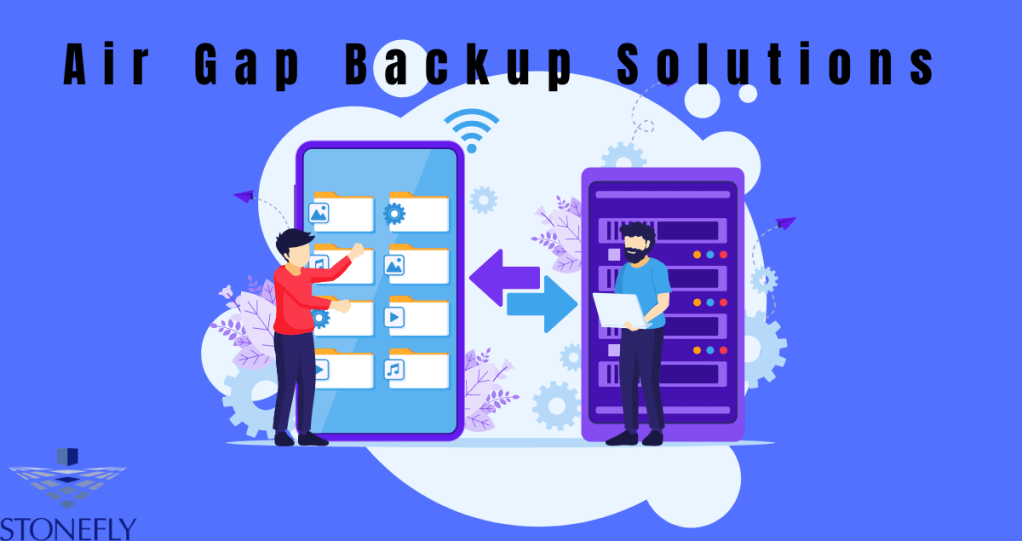
In the ever-evolving landscape of data security, Air Gap Backup Solutions stand out as a fortress against the relentless onslaught of cyber threats. As businesses increasingly rely on digital infrastructure to store sensitive information, the need for robust backup strategies becomes paramount. In this comprehensive guide, we delve into the intricacies of air gap backup solutions, exploring their significance, implementation strategies, and benefits.
Understanding Air Gap Backup Solutions
Air gap backup solutions refer to a method of data protection that physically isolates backup systems from the primary network, rendering them inaccessible to cyber threats such as malware, ransomware, and unauthorized access. By creating an air gap between the backup infrastructure and the network, organizations establish an impenetrable barrier that safeguards critical data from cyberattacks.
Implementation Strategies
Implementing air gap backup solutions requires careful planning and meticulous execution to ensure optimal efficacy. Organizations can adopt various strategies to establish air gaps effectively:
Offline Backup Storage
Storing backups on offline media such as external hard drives, tapes, or optical discs ensures complete isolation from the primary network. By disconnecting these storage devices when not in use, organizations minimize the risk of unauthorized access or data compromise.
Network Segmentation
Segmenting the network into distinct zones facilitates the creation of air gaps between critical systems and backup infrastructure. By restricting access to backup repositories, organizations mitigate the potential impact of cyber threats spreading across the network.
Regular Backup Testing
Conducting periodic tests and drills helps validate the integrity and accessibility of air-gapped backups. By simulating real-world scenarios, organizations can identify vulnerabilities and fine-tune their backup strategies to enhance resilience against emerging threats.
Benefits of Air Gap Backup Solutions
The adoption of air gap backup solutions offers numerous benefits, including:
Enhanced Security
By physically isolating backup systems from the primary network, air gap solutions provide an additional layer of defense against cyber threats. This proactive approach helps prevent data loss and minimize the impact of security breaches.
Regulatory Compliance
Many industries have stringent regulatory requirements regarding data protection and privacy. Air gap backup solutions enable organizations to comply with regulatory standards by ensuring the integrity and confidentiality of sensitive information.
Resilience to Cyber Attacks
In the event of a cyber attack or network compromise, air-gapped backups remain unaffected, allowing organizations to restore operations swiftly and minimize downtime. This resilience is invaluable in mitigating the financial and reputational damage associated with data breaches.
Conclusion
In an era defined by relentless cyber threats, air gap backup solutions emerge as a beacon of hope for organizations seeking to safeguard their digital assets. By implementing robust strategies and embracing best practices, businesses can fortify their defenses against evolving security challenges and ensure continuity in the face of adversity.
FAQs
How does an air gap backup solution differ from traditional backup methods?
An air gap backup solution differs from traditional backup methods primarily in its approach to data protection. While traditional backups may involve storing data on connected devices or within the same network infrastructure, air gap solutions create a physical barrier between the backup system and the primary network. This isolation ensures that even if the primary network is compromised by cyber threats, the backup remains secure and accessible, safeguarding critical data from loss or corruption.
What industries can benefit from implementing air gap backup solutions?
Various industries can benefit from implementing air gap backup solutions, particularly those that handle sensitive or regulated data. Sectors such as finance, healthcare, government, and legal services often face stringent regulatory requirements regarding data protection and privacy. By adopting air gap solutions, organizations in these industries can ensure compliance with regulatory standards while enhancing their resilience to cyber attacks and mitigating the risk of data breaches.
-
Optimizing Your Data Storage with S3 Storage Solutions
For modern IT professionals and developers, data storage is at the core of their digital infrastructure. The demand for scalable, secure, and cost-effective storage solutions has only increased with the rise of Big Data and cloud computing. Among the myriad of choices, S3 (Simple Storage Service) offers a robust solution that caters to a diverse range of needs across different industries.
This article will provide you with insights into S3 Storage Solutions, how they work, and the best practices for deployment. Practical, user-friendly, and adaptable, S3 solutions have transformed the way the tech world thinks about data storage.
An Architectural Overview of S3
Amazon’s S3 is known for its simplicity and redundancy – two features vital not only for maintaining a robust storage platform but also for carving a trust-worthy service out of the cloud. With its architecture designed for 99.999999999% (11 9’s) of durability and 99.99% availability of objects over a given year, S3 presents a formidable case for data reliability.
Advantages for Wielding S3
S3 isn’t just about securing your data against loss – it’s about enabling your data to work for you.
Scalability Without the Surprises
One of the most compelling features of S3 is its scalability that scales storage resources to handle the most demanding traffic. It can grow or shrink without any upfront investment and adjusting automatically to the needs of the user, a feature that endears it to businesses of all sizes.
Military-Grade Security
S3 takes data security seriously. By default, S3 data is encrypted both at rest and in transit. With features like access control lists (ACLs) and bucket policies, you can ensure only authorized users have access to the right data at the right time.
Integration and Compatibility
What good is your database if your applications can’t talk to it? S3 integrates seamlessly with many cloud services and applications via RESTful APIs. This ensures a reduction in deployment time and an increase in productivity as developers utilize existing tools and frameworks to work with S3.
Deployment of S3 Solutions
S3’s intuitive interface allows for a smooth set-up and usage. To begin with S3, you’ll need to create a ‘bucket,’ which is essentially a root folder for your files in S3.
Step-by-Step Deployment
Creating Your S3 Bucket
If you’re just starting out, creating an S3 bucket may be your first step. Ensure you choose a globally unique name and region, as each bucket name is shared across the entire cloud network.
Uploading and Managing Data
Once your bucket is up and running, you can use the S3 Management Console to upload, retrieve, and manage your data. For more granular control, AWS CLI or SDKs for various programming languages can provide scriptable options.
Ensuring Access Control
S3 also empowers you with sophisticated options for managing permissions. You can set who can view and alter your objects both at the bucket and file levels, helping you maintain the highest security standards.
Diving Into Advanced Features
Data Lifecycle Policies
Setting up lifecycle policies is pivotal for managing your data effectively. By automatically transitioning your data to the most cost-effective storage class based on a pre-defined schedule, you save time and streamline operations.
Versioning
With S3 versioning, you can preserve, retrieve, and restore every version of every object stored in your Amazon S3 bucket. This can be invaluable for audit trails or in the unfortunate event you need to recover overwritten files.
Cross-Region Replication
Replicating objects across different AWS Regions can prevent data loss due to unexpected failures or natural disasters. By configuring cross-region replication, you can ensure high availability and compliance with data residency requirements.
Case Studies and Real-World Examples
Understanding how S3 is already making an impact across different industries can fuel ideas for adopting the service in new and innovative ways.
Archiving and Backup
For companies looking to keep their data accessible securely and compliantly, S3 Glacier and S3 Glacier Deep Archive provide cost-effective solutions for data archival and long-term backup.
Media and Entertainment
The media industry demands rapid access to large files and the ability to deliver them to customers globally. S3’s ability to host entire static websites or serve content through CloudFront makes it an optimized solution for media storage and delivery.
Conclusion and Your Next Steps
Have you encountered success stories using S3 storage solutions? Do you have additional tips for optimizing S3 usage? We invite you to share your experiences and tips to turn this overview into a vibrant exchange of knowledge among peers and industry professionals.
Join forums, webinars, and user groups to continue learning and adapting your S3 strategy. The final frontier in cloud storage is rarely about the features themselves, but about the innovative ways in which we can weave them into the fabric of our work. With S3, your potential for such innovation is boundless.
FAQs
How does S3 help with data security?
S3 provides features like encryption, access control lists, and bucket policies that ensure the security of your data at rest and in transit.
Can S3 be integrated with other cloud services and applications?
Yes, S3 has APIs that allow for seamless integration with various cloud services and applications.
-
The Essential Guide to Local Object Storage Solutions
In the increasingly digital world, the demand for scalable and reliable storage solutions has never been higher. For IT professionals and developers, understanding and leveraging Local Object Storage can be a game-changer. This comprehensive guide dives into the world of Local Object Storage, shedding light on its benefits, implementation strategies, and the crucial aspects of security and compliance.
What is Local Object Storage?
Local object storage is a data storage architecture that manages data as objects, unlike file storage, which manages data as a file hierarchy and block storage where each addressable unit is a hard-coded fixed-size data block. Object storage has become a go-to option for organizations due to its scalability, cost-effectiveness, and the rise of unstructured data. Each object typically includes the data itself, a variable amount of metadata, and a globally unique identifier.
Understanding the Basics of Object Storage
Developers and IT pros interface with object storage differently than traditional file systems. Using Representational State Transfer (REST) interfaces, they can read, write, and delete objects, as well as manage metadata. This simplicity and the performance benefits of spreading data across numerous systems make local object storage an increasingly popular choice.
Benefits of Local Object Storage
Local object storage stands out for several key advantages, especially for applications that run predominantly from local servers.
Scalability and Flexibility
Local object storage scales almost indefinitely, making it possible to store vast amounts of data without experiencing significant downtime or increased costs.
Data Redundancy and Availability
Built-in redundancy ensures that data is always available, making it a local object storage system a solid foundation for high-availability systems.
Lower Costs
Local object storage often comes with lower operational costs compared to traditional data storage systems.
Implementation Guide
Implementing local object storage is not just about choosing the right technology – it requires a thoughtful strategy to ensure seamless integration and optimal performance.
Selecting the Right Hardware
Choosing suitable hardware is the first step. It should align with the performance requirement of your applications and provide the necessary redundancy and fault-tolerance features.
Software Considerations
You’ll need to select software that supports object storage. Look for solutions providing robust APIs, replication features, and compaibility with your operating systems and existing infrastructure.
Security and Compliance
With data protection regulations tightening globally, security and compliance are critical factors when selecting any storage solution, including local object storage.
Encryption and Access Control
Implement encryption at rest and in transit, and configure granular access controls to ensure that data remains secure from unauthorized access.
Data Retention and Governance
Develop a robust data retention strategy and ensure your local object storage system supports it, helping you maintain compliance with industry regulations.
Conclusion
Local object storage is not just a storage solution; it’s a catalyst for innovation and a resilient foundation for the future of data management. By harnessing its capabilities, businesses can unlock new opportunities for growth and efficiency.
FAQs
Is local object storage suitable for all businesses?
While local object storage offers numerous benefits, not all businesses may need it. Small businesses with modest storage needs might find traditional storage solutions to be more cost-effective initially.
Can local object storage work in tandem with cloud object storage?
Yes, local and cloud object storage can be used together in a hybrid setup, known as a “tiered storage” model, where data is moved between local and cloud storage depending on usage, cost, and performance requirements.
-
Unveiling the Power of Air Gap Backup Solutions
In the digital landscape where data reigns supreme, ensuring its safety and accessibility is paramount for businesses of all sizes. With the ever-looming threat of cyberattacks, hardware failures, and natural disasters, data backup has become not just a necessity but a critical aspect of any organization’s operations. Among the arsenal of backup solutions available, Air Gap Backup Solutions stand out as a fortress of protection for your invaluable data.
Understanding Air Gap Backup Solutions
What is an Air Gap Backup?
An Air Gap Backup is a data protection strategy that physically isolates the backup system from the primary network, creating an “air gap” between them. This isolation prevents unauthorized access or tampering, effectively safeguarding the backup data from cyber threats such as ransomware attacks.
How Does Air Gap Backup Work?
Air Gap Backup works by creating a physical disconnect between the backup system and the primary network. This can be achieved by storing backup data on offline storage devices like external hard drives, tape drives, or optical discs. Since these devices are not connected to the network except during backup operations, they are immune to online threats, ensuring the integrity and availability of the backup data.
The Advantages of Air Gap Backup Solutions
Unrivaled Security
By maintaining an air gap between the backup system and the primary network, Air Gap Backup Solutions offer unparalleled security against cyber threats. Since the backup data is stored offline, it remains immune to ransomware attacks, malware infections, and unauthorized access attempts, providing peace of mind to businesses and their stakeholders.
Regulatory Compliance
In today’s regulatory landscape, compliance with data protection regulations such as GDPR, HIPAA, and PCI DSS is non-negotiable for businesses handling sensitive information. Air Gap Backup Solutions facilitate compliance by ensuring the confidentiality, integrity, and availability of backup data, helping organizations avoid hefty fines and reputational damage associated with non-compliance.
Reliable Disaster Recovery
In the event of a catastrophic failure or data breach, quick and reliable disaster recovery is crucial to minimize downtime and mitigate losses. Air Gap Backup Solutions enable swift recovery by maintaining a pristine copy of the data offline, allowing businesses to restore operations with minimal disruption and ensuring business continuity.
Cost-Effective Data Protection
Contrary to common misconceptions, implementing Air Gap Backup Solutions can be cost-effective in the long run. While the initial investment may include the purchase of offline storage devices and infrastructure setup, the savings accrued from mitigating the risks of data loss, downtime, and regulatory penalties far outweigh the costs.
Conclusion
In the ever-evolving landscape of data security and business continuity, Air Gap Backup Solutions emerge as a beacon of resilience, offering unmatched protection against cyber threats and ensuring the integrity and availability of critical data. By embracing this innovative approach to data backup, businesses can safeguard their digital assets, maintain regulatory compliance, and fortify their resilience against unforeseen disasters.
FAQs
1. Is Air Gap Backup Suitable for Small Businesses?
Yes, Air Gap Backup Solutions are adaptable to businesses of all sizes, including small businesses.
2. How Often Should I Perform Air Gap Backups?
The frequency of Air Gap Backups depends on factors such as business operations, data volume, and risk tolerance. Generally, performing backups daily or weekly is recommended to ensure up-to-date data availability for recovery.
-
Unlocking the Power of Local Object Storage Solutions by StoneFly
In today’s digital age, businesses face an ever-growing challenge of managing vast amounts of data efficiently and securely. As the volume of data continues to skyrocket, organizations are seeking reliable storage solutions that not only offer scalability but also ensure data accessibility, reliability, and compliance. Local Object Storage emerges as a compelling solution, offering unparalleled advantages for businesses of all sizes and industries.
Understanding Local Object Storage
What is Local Object Storage?
Local Object Storage, also known as Object-based Storage, is a modern data storage approach designed to handle massive amounts of unstructured data. Unlike traditional file systems, which organize data in a hierarchical structure, Object Storage stores data as objects within a flat address space. Each object contains data, metadata, and a unique identifier, enabling seamless scalability and efficient retrieval.
Key Features of Local Object Storage
- Scalability: Local Object Storage solutions, such as those offered by StoneFly, are highly scalable, allowing businesses to expand their storage capacity effortlessly as their data needs grow.
- Data Redundancy: Redundancy mechanisms ensure data durability and availability by replicating objects across multiple nodes within the storage cluster.
- Cost-effectiveness: With pay-as-you-go pricing models, businesses can optimize costs by only paying for the storage they use, without upfront investments in hardware.
- Metadata Management: Object Storage systems manage metadata alongside data, facilitating quick and efficient search and retrieval operations.
- Compatibility: StoneFly Local Object Storage solutions seamlessly integrate with existing IT infrastructure and support industry-standard protocols, ensuring compatibility and ease of deployment.
Advantages of StoneFly Local Object Storage Solutions
Tailored for Local Needs
StoneFly understands the unique requirements of businesses operating at the local level. With a focus on scalability, affordability, and ease of use, StoneFly Local Object Storage solutions are tailored to address the storage challenges faced by local businesses across various industries.
Robust Security Measures
Data security is paramount in today’s business landscape, especially with the increasing frequency of cyber threats and regulatory compliance requirements. StoneFly employs robust security measures, including encryption, access controls, and data integrity checks, to safeguard sensitive data stored within its Object Storage solutions.
Seamless Integration and Management
StoneFly Local Object Storage solutions are designed for seamless integration with existing infrastructure and applications. Whether on-premises or in the cloud, businesses can effortlessly integrate StoneFly Object Storage into their IT environment, minimizing disruptions and simplifying management tasks.
Enhanced Data Accessibility and Collaboration
Local Object Storage promotes data accessibility and collaboration by providing centralized storage repositories accessible from anywhere, at any time. With features such as versioning and file sharing, StoneFly empowers businesses to streamline collaboration efforts and enhance productivity.
Conclusion
Local Object Storage solutions by StoneFly offer a powerful means for businesses to address their evolving data storage needs. With scalability, affordability, robust security, and seamless integration, StoneFly Object Storage solutions provide a comprehensive platform for managing and protecting valuable data assets. By leveraging StoneFly expertise in storage technologies, businesses can unlock new opportunities for growth and innovation while ensuring the integrity and availability of their data.
FAQs
Q: How does StoneFly Local Object Storage compare to traditional file-based storage systems?
A: Unlike traditional file-based storage systems, which impose limitations on scalability and performance, StoneFly Local Object Storage offers unparalleled scalability, robust security, and seamless integration capabilities. By adopting Object Storage, businesses can future-proof their storage infrastructure and effectively manage the ever-growing volumes of unstructured data.
Q: Can StoneFly Local Object Storage solutions be deployed in hybrid or multi-cloud environments?
A: Yes, StoneFly Local Object Storage solutions are designed to be platform-agnostic, allowing businesses to deploy them in hybrid or multi-cloud environments seamlessly. Whether on-premises, in the cloud, or a combination of both, StoneFly Object Storage solutions deliver consistent performance, scalability, and security across diverse IT environments.
-
Unleashing the Power of S3 Object Storage by StoneFly
In today’s digital age, data is the cornerstone of every successful business. From small startups to multinational corporations, the ability to store, manage, and access data efficiently is paramount. This is where S3 Object Storage by StoneFly comes into play, revolutionizing the way businesses handle their data storage needs.
Understanding S3 Object Storage
S3 Object Storage, developed by StoneFly, is a cutting-edge solution designed to address the challenges of modern data management. Unlike traditional storage systems, which rely on hierarchical file structures, S3 Object Storage utilizes a unique approach based on object storage.
The Basics of Object Storage
In object storage, data is stored as objects rather than files. Each object contains not only the data itself but also metadata, which provides valuable information about the object. This metadata enables efficient retrieval and management of data, making object storage ideal for large-scale applications.
Key Features of S3 Object Storage
StoneFly S3 Object Storage offers a plethora of features tailored to meet the demands of today’s businesses. Some of the key features include:
Scalability
One of the most significant advantages of S3 Object Storage is its scalability. With traditional storage solutions, businesses often face limitations when it comes to scaling their infrastructure. However, StoneFly S3 Object Storage allows for seamless scalability, enabling businesses to expand their storage capacity as needed without any downtime.
Durability and Reliability
Data integrity is of utmost importance in any storage solution. S3 Object Storage boasts unparalleled durability and reliability, ensuring that your data remains safe and accessible at all times. With built-in redundancy and data protection mechanisms, StoneFly S3 Object Storage provides peace of mind, even in the face of hardware failures or disasters.
Cost-Effectiveness
In addition to its advanced features, S3 Object Storage offers cost-effectiveness that traditional storage solutions simply cannot match. By leveraging the scalability of cloud storage and eliminating the need for expensive hardware investments, StoneFly S3 Object Storage helps businesses reduce their total cost of ownership while maximizing their return on investment.
Compatibility
Compatibility is another area where S3 Object Storage excels. Whether you’re using on-premises infrastructure, cloud-based platforms, or hybrid environments, StoneFly S3 Object Storage seamlessly integrates with your existing infrastructure, providing a unified storage solution that meets your unique needs.
Use Cases and Applications
The versatility of S3 Object Storage makes it suitable for a wide range of use cases and applications across various industries. Some common use cases include:
Data Backup and Archiving
With the exponential growth of data, businesses need robust backup and archiving solutions to ensure data protection and compliance. S3 Object Storage serves as an ideal platform for data backup and archiving, offering high scalability, durability, and cost-effectiveness.
Media and Entertainment
In the media and entertainment industry, where large files such as videos, images, and audio recordings are commonplace, S3 Object Storage provides an efficient solution for storing and managing multimedia content. With its ability to handle massive volumes of data and deliver high-performance access, StoneFly S3 Object Storage empowers media companies to streamline their content workflows and deliver superior user experiences.
Big Data Analytics
For businesses engaged in big data analytics, S3 Object Storage serves as a foundation for storing and processing vast amounts of structured and unstructured data. By leveraging the scalability and flexibility of S3 Object Storage, organizations can unlock valuable insights from their data, driving informed decision-making and gaining a competitive edge in the market.
Conclusion
S3 Object Storage by StoneFly represents a paradigm shift in the world of data storage and management. With its innovative approach to object storage, advanced features, and seamless integration capabilities, S3 Object Storage empowers businesses to unleash the full potential of their
FAQs
1. What is S3 Object Storage by StoneFly?
S3 Object Storage by StoneFly is a cutting-edge storage solution that utilizes object storage technology for efficient data management.
2. What are the key benefits of S3 Object Storage?
The key benefits of S3 Object Storage include scalability, durability, cost-effectiveness, and compatibility with various infrastructure environments.
-
Subscribe
Subscribed
Already have a WordPress.com account? Log in now.
 Cloud Backup services