-
Stay Safe: How to Protect Your Business from Supply Chain Attacks
What Are Supply Chain Attacks?
A supply chain attack happens when hackers break into a company by targeting its partners, suppliers, or software tools. Instead of attacking the company directly, they sneak in through third parties. This kind of attack can cause data leaks, service shutdowns, and even major financial loss.
Hackers often go after software updates, shared tools, or services that connect to your business. Once they get in, they move fast—stealing data, planting malware, or spying on your network. These attacks are hard to spot because the problem doesn’t start in your own system. It starts somewhere else and then spreads.
Why Air-Gapped Backups Matter
To fight back against these kinds of attacks, one strong solution is using Air Gapped Backups.
An air-gapped backup is a copy of your data that’s stored completely offline. That means it’s not connected to your business network or the internet. Hackers can’t reach it, even if they break into your system. It’s like keeping a backup in a locked vault far away from danger.
If your main systems get hit by a supply chain attack, you can use the air-gapped backup to restore everything without spreading the malware. This helps your business recover fast, without losing data or spending weeks cleaning up.
How Do Supply Chain Attacks Happen?
1. Through Third-Party Software
Many companies use outside software to run their systems. Hackers look for weak points in that software and use it as a doorway. Once they’re in, they can spread Malware to every company using it.
2. Infected Updates
Sometimes, attackers sneak into a software company and add harmful code to their updates. When users download the update, they also install the malware. This trick is hard to spot and can spread quickly.
3. Weak Vendor Security
Suppliers with weak security can open the door to attackers. If they have access to your network—even in a small way—hackers can use that path to break into your system.
Best Ways to Protect Your Business
Use Air-Gapped Backups
We already talked about this, but it’s worth repeating. Keep at least one full copy of your data completely offline. It’s your safety net if things go wrong.
Monitor Third-Party Access
Keep track of who has access to your system. Limit permissions, and make sure vendors follow strong security rules.
Scan Software and Updates
Don’t trust updates blindly. Use tools to scan for malware before installing anything. Always test software changes in a separate environment first.
Train Your Team
Teach your staff how to spot phishing attacks, strange emails, and odd system behavior. Many attacks start with a simple mistake, like clicking the wrong link.
Run Regular Security Checks
Use security tools to scan your network and systems often. Catching problems early stops them from growing.
Conclusion
Supply chain attacks are getting smarter and faster. But they’re not unstoppable. With strong steps—like using air-gapped backups, checking third-party tools, and training your team—you can block these attacks and bounce back quickly if one happens. Don’t wait for a problem to happen. Prepare now.
FAQs
Q1: How often should I update my air-gapped backup?
You should update your air-gapped backup regularly—daily if possible. Make sure you do it after business hours and scan your data first to avoid saving infected files.
Q2: Can air-gapped backups work for small businesses too?
Yes. Air-gapped backups are useful for businesses of any size. Even a basic offline external drive can make a big difference in an emergency.
-
Fortifying Industrial Control Systems (ICS): A Guide to Keeping Them Safe
Industrial Control Systems, or ICS, play a huge role in managing essential operations like energy grids, water supply systems, and factories. These systems keep things running smoothly, but they’re also valuable targets for cybercriminals. That’s why protecting ICS is so important. By taking smart precautions, you can prevent attacks and ensure these systems work as expected.
Understanding ICS Threats
Before we talk about how to protect ICS, it’s important to know the risks. Hackers can attack these systems through malware, ransomware, or even physical tampering. When ICS are compromised, it can lead to equipment failure, production delays, and even safety hazards. These incidents can disrupt daily life and cost millions to fix, so building strong defenses is critical.
The Power of Air Gap Backup Solutions
One of the most reliable ways to safeguard ICS is by using an Air Gap Backup Solution. An air gap means creating a physical space, like a disconnected backup system, between critical data and the rest of the network. With air-gapped backups, even if your ICS gets hacked, your data stays safe because the attackers can’t reach it.
Think of it as storing your valuable treasures in a secure vault that’s hidden away. Even if someone breaks into your house, they won’t get to the vault. This approach adds an extra layer of protection, giving peace of mind in case a cyberattack occurs. Having air-gapped backups ensures you will have access to clean copies of your data, no matter what.
Building Strong Security Practices
Secure Network Segmentation
Separating ICS networks from general IT networks is crucial. This minimizes the chances of cybercriminals gaining access to ICS through other systems. Use firewalls and secure VPNs to limit who can access these systems.
Regular Software Updates
Outdated software is like an unlocked door for hackers. Make sure all ICS devices and networks are running the latest updates. Updates often include patches that Fix Security Flaws.
Monitoring and Alerts
Installing monitoring tools can help detect unusual activity. Early warnings give you enough time to act before a major problem develops. Use automated tools to track activity on your networks 24/7.
Importance of Routine Backups
Even with strong protection, no system is 100% safe. That’s why it’s essential to back up your data regularly. Backups allow you to regain access to your systems if they’re compromised. With air-gapped backups, these copies are stored separately and safe from any attackers.
Training and Awareness
People are often the weakest link in cybersecurity. Investing in training for your team ensures they know about the dangers of phishing emails and weak passwords. The more your staff understands threats, the better they’ll be at avoiding mistakes that put ICS at risk.
Physical Security for Industrial Sites
Cybersecurity is only one half of the equation. Protecting ICS also means guarding physical locations where equipment is stored. Restrict access to authorized personnel and install cameras or alarms for added protection. If someone can’t physically tamper with the equipment, it becomes harder for them to launch an attack.
Staying Prepared for the Worst
No security measure is foolproof, so having a strong incident response plan is vital. A good plan ensures your organization knows how to act quickly in case of an emergency. This includes identifying the problem, isolating affected systems, and recovering operations as soon as possible.
The Role of Cooperation
Industries and governments need to work together to stay ahead of cybercriminals. Sharing information about threats and vulnerabilities helps everyone develop better defenses. Collaboration ensures ICS across different sectors are not left isolated and vulnerable.
Wrapping It Up
Industrial Control Systems are the backbone of many critical operations, but they are prone to attacks if left unprotected. By understanding risks and taking preventive actions, you can shield these vital systems. Air Gap Backup Solutions stand out as a simple, yet effective strategy to guarantee the safety of your data, even during major cyberattacks. Pair this with network security, regular updates, and staff training, and you’ll be well-prepared to keep ICS secure for the long run.
FAQs
1. What is an Air Gap Backup Solution, and why is it essential?
An Air Gap Backup Solution creates a physical separation between your backups and the network. This ensures that even if hackers gain access to your system, they can’t infect or erase your backups. It’s essential because it guarantees you always have a clean copy of your critical data.
2. Can small companies benefit from ICS protection measures?
Absolutely! Even small companies rely on ICS for daily operations. While attacks often target bigger players, small organizations are not immune. By using air-gapped backups, securing networks, and training staff, smaller companies can safeguard their systems just as effectively as large organizations.
-
Keeping Data Safe: Disaster Recovery for Distributed Databases
Distributed databases are essential to modern businesses, allowing organizations to store and access data across multiple locations. But what happens when disaster strikes? A sudden power outage, data corruption, or natural disaster can wreak havoc on your system. This is where disaster recovery becomes critical. Disaster recovery ensures you can quickly restore your data and resume operations with minimal downtime.
One popular and reliable solution for disaster recovery is using an S3 Appliance. It provides robust, scalable, and cost-effective storage, which is vital when planning for unexpected scenarios. From securely storing backups to enabling easy data retrieval, an S3 Appliance is a powerful tool for safeguarding distributed databases.
Why Disaster Recovery Matters for Distributed Databases
Distributed databases spread data across multiple servers, making them resilient to small-scale outages. However, large-scale disasters like hardware failures or connection loss can disrupt the entire system. Without a proper recovery plan, this can lead to data loss, financial setbacks, and even damage to a company’s reputation.
Disaster recovery is your safety net. It ensures that no matter what happens, your business can get back on track quickly. For distributed databases specifically, disaster recovery focuses on creating backups, enabling data replication, and setting up systems for quick restoration. By relying on tools like an S3 Appliance, this becomes far simpler and more efficient.
The Role of an S3 Appliance in Disaster Recovery
An S3 Appliance is a powerful, scalable storage system that can make disaster recovery seamless. It allows businesses to store large amounts of data securely while also enabling quick access when needed. Here’s why it’s an ideal solution for distributed databases:
- Reliable Backups: The S3 Appliance ensures that your data is regularly backed up in a secure and organized manner. It reduces the risk of losing important information by keeping multiple copies safe and accessible.
- Fast Data Retrieval: During a disaster, time is critical. The S3 Appliance enables you to restore data quickly, minimizing downtime and keeping your operations running smoothly.
- Scalability: Whether your database is growing or already massive, the S3 Appliance can expand its storage capacity to accommodate your needs without requiring major upgrades.
- Cross-Site Redundancy: Distributed databases often span across different locations. The S3 Appliance can synchronize backups across sites, ensuring you always have a fallback, no matter where a failure occurs.
Key Steps to Building a Disaster Recovery Plan
- Assess Risks
First, identify potential threats to your database. These might include server outages, cyber-attacks, hardware failure, or natural disasters. - Define Recovery Objectives
Determine your Recovery Time Objective (RTO) and Recovery Point Objective (RPO). RTO is how quickly data needs to be restored, while RPO defines how much data loss is acceptable during recovery. - Implement a Backup Strategy
Store backups both on-site and off-site to ensure maximum protection. Using an S3 Appliance guarantees your off-site storage is reliable, accessible, and secure. - Test Recovery Regularly
A disaster recovery plan is useless if it doesn’t work when needed. Schedule regular tests to ensure you can retrieve data using the S3 Appliance quickly and without any surprises. - Monitor and Update the Plan
Databases grow, risks evolve, and technology advances. Keep monitoring your disaster recovery plan and update it regularly to ensure it remains effective.
Avoiding Pitfalls in Disaster Recovery
While having a disaster recovery plan is essential, there are common mistakes to avoid:
- Skipping Backups: Not backing up regularly is a recipe for disaster. With an S3 Appliance, automate your backups to make sure you’re covered at all times.
- Ignoring Testing: A plan isn’t reliable until it’s tested. Always ensure your backups can be restored quickly when disaster strikes.
- Overlooking Security: Secure your backups from Unauthorized Access. The S3 Appliance offers encryption features to protect your data from breaches.
- Underestimating Costs: Don’t cut corners on disaster recovery. Investing in a scalable system like an S3 Appliance saves time and money in the long run compared to the cost of losing critical data.
The Future of Disaster Recovery
With businesses relying more heavily on distributed databases, the demand for robust disaster recovery solutions will only continue to grow. Systems like the S3 Appliance are likely to evolve further, offering even greater speeds, security, and ease of use.
Automation and AI tools may also play a significant role in the future of disaster recovery. These technologies can predict potential failures, trigger immediate actions, and even handle restoration processes without human intervention, making recovery faster and more efficient.
Conclusion
Disaster recovery for distributed databases isn’t something to take lightly. It’s not just about protecting data; it’s about protecting your business. Tools like the S3 Appliance make it easier to prepare for unexpected situations, ensuring your databases remain safe, accessible, and fully functional when disaster strikes. By taking proactive steps to build and maintain a recovery plan, you can focus on growth without fear of catastrophic data loss.
FAQs
1. How often should I back up my database?
It’s recommended to back up your database daily or even more frequently, depending on how often data changes. Using an S3 Appliance can automate this process, ensuring you’re always covered.
2. Can small businesses afford disaster recovery solutions like the S3 Appliance?
Yes, the scalability of the S3 Appliance makes it an affordable option for businesses of all sizes. You pay for the storage you need, and it can grow with your business, keeping costs manageable.
-
Smart Solutions for Storing and Sharing Medical Images
Medical imaging, like X-rays, MRIs, and CT scans, helps doctors diagnose and treat patients. But storing and sharing these images can be tricky. Hospitals and clinics deal with thousands of images daily, and old storage systems often struggle to keep up. Let’s explore how modern tools like S3 Storage Appliances solve these problems while keeping data safe and easy to access.
The Problem With Old Storage Systems
Running Out of Space
Medical images take up a lot of digital space. A single MRI can be as large as 200 MB, and hospitals create hundreds daily. Old storage systems, like local servers or basic hard drives, fill up quickly. When storage runs out, hospitals face delays, higher costs, and even risks to patient care.
Sharing Is Slow and Insecure
Sharing images with other doctors or specialists is a big part of healthcare. But old methods—like mailing DVDs or using slow uploads—are time-consuming. Plus, these methods aren’t always secure. Patient data could get lost or hacked.
Compatibility Issues
Different hospitals use different software. If one clinic uses a system that another doesn’t recognize, sharing images becomes impossible. This wastes time and slows down treatment.
Why S3 Storage Appliances Are the Answer
Save Space, Save Money
S3 Storage Appliances are designed to store massive amounts of data. Unlike old systems, they grow with a hospital’s needs. Instead of buying new servers every year, hospitals can simply add more storage space as required. This cuts costs and keeps everything in one place.
Fast Access, Anytime
Doctors often need images immediately for emergencies. S3 Storage Appliances let them retrieve files in seconds. No more waiting for DVDs to load or servers to reboot!
Works With Any System
These appliances use standard formats (like DICOM for medical images), so they work with almost any hospital’s software. This means fewer compatibility headaches.
How S3 Storage Makes Sharing Easier
Share With a Click
With S3 Storage Appliances, doctors can share images securely through Encrypted links. Instead of mailing disks, they send a link that only authorized users can open. This saves days of waiting and keeps data safe.
Collaborate in Real Time
Specialists worldwide can view the same image at the same time. For example, a surgeon in New York can discuss a patient’s scan with a radiologist in London instantly. This teamwork leads to faster diagnoses and better care.
No More Lost Files
Since everything is stored digitally, there’s no risk of losing DVDs or misplacing paperwork. Patient records stay organized and easy to find.
Keeping Data Safe With S3 Storage
Military-Grade Security
Patient privacy is critical. S3 Storage Appliances protect data with encryption (like turning files into secret codes). Even if someone hacks the system, they can’t read the information without a special key.
Control Who Sees What
Hospitals can set strict rules about who accesses files. For example, only a patient’s doctor and nurse might have permission. This stops unauthorized people from viewing sensitive data.
Backups for Emergencies
Natural disasters or computer crashes won’t wipe out patient records. S3 systems automatically save copies in multiple locations. If one server fails, the backup takes over instantly.
Conclusion
Storing and sharing medical images doesn’t have to be slow, expensive, or risky. S3 Storage Appliances offer a smarter way to manage data—saving space, speeding up care, and protecting patient privacy. By switching to modern solutions, hospitals can focus less on tech problems and more on helping people get better.
FAQs
1. What is an S3 Storage Appliance?
It’s a storage system built to handle huge amounts of data securely. Hospitals use it to store medical images and share them quickly with doctors.
2. Are S3 Storage Appliances safe for patient data?
Yes! They use encryption and strict access controls to keep information private. Only authorized staff can view the files.
-
Keeping Data Safe for Years: A Simple Guide to Long-Term Storage and Compliance Backups
Businesses, schools, and even individuals create mountains of data every day. Whether it’s important documents, customer records, or family photos, keeping this information safe and accessible for years is a big challenge. This is where long-term data archival and compliance backups come into play. Let’s break down what these terms mean and how you can protect your data effectively.
Why Long-Term Data Archival Matters
The Problem with Regular Backups
Regular backups are like short-term safety nets. They help you recover files if your computer crashes or you accidentally delete something. But what happens when you need to keep data for 5, 10, or even 20 years? Regular backups aren’t built for that. Hard drives fail, old software becomes unusable, and formats change. Long-term archival solves this by storing data in ways that last decades.
Compliance: Rules You Have to Follow
Many industries, like healthcare or finance, have strict rules about keeping records. For example, hospitals must store patient data for years, and businesses might need tax records ready for audits. Compliance backups ensure data isn’t just saved but also meets legal requirements. If you lose compliance, you could face fines or legal trouble.
The Solution: S3 Compatible Storage
What Is S3 Compatible Storage?
S3 Compatible Storage is a type of cloud storage designed to securely hold massive amounts of data for long periods. It’s built to be durable (meaning your files won’t disappear) and affordable. The “S3” part refers to a popular storage format that many providers use, making it easy to switch services if needed.
Benefits of Using S3 Compatible Storage for Archival
- Durability: Data is copied across multiple locations, so even if one server fails, your files stay safe.
- Cost-Effective: You pay less for storing data you don’t access often.
- Easy Access: Unlike old-school tapes or DVDs, you can retrieve files anytime with an internet connection.
- Compliance-Friendly: Features like Encryption and audit logs help meet legal requirements.
How to Set Up Long-Term Backups with S3 Compatible Storage
Step 1: Choose the Right Provider
Look for a storage provider that offers S3 Compatible Storage. Check if they support features like encryption (to lock your data) and versioning (to keep older file copies).
Step 2: Set Up Your Storage Space
Create “buckets” (like folders) to organize your data. Label them clearly, such as “Tax Records 2020-2025” or “Patient Files Archive.”
Step 3: Automate Your Backups
Use tools to automatically send important data to your S3 Compatible Storage. This way, you won’t forget to save new files.
Step 4: Test and Monitor
Check your backups once a year to ensure files aren’t corrupted. Set up alerts to notify you if something goes wrong.
Conclusion
Long-term data archival and compliance backups don’t have to be complicated. By using S3 Compatible Storage, you get a secure, affordable, and easy-to-manage solution. Whether you’re preserving memories or meeting industry rules, this approach keeps your data safe for years without headaches. Start planning your strategy today—your future self will thank you!
FAQs
1. How long can I store data using S3 Compatible Storage?
You can store data for as long as you need—years or even decades. The system is designed to handle long-term storage without losing files.
2. Why is S3 Compatible Storage good for compliance?
It includes security features like encryption and access logs, which help prove to regulators that your data is protected and unaltered.
-
5 Steps to Build a Ransomware-Proof Backup Strategy
Ransomware is like a digital thief that locks up your files and demands money to give them back. Scary, right? The good news is, you can protect yourself with a strong backup plan. Backups are copies of your files that you can use if ransomware attacks. But not all backups are safe! Follow these five steps to make your backups ransomware-proof.
Step 1: Back Up Your Data Regularly
The first rule is simple: back up often. If you only save your files once a year, you could lose months of work if ransomware strikes. Set up automatic backups daily or weekly. Tools like cloud services or external hard drives can do this for you. The more recent your backup, the less you’ll lose!
Step 2: Use Air Gapped Backups
An Air Gapped Backup is like locking your files in a vault. It’s a copy of your data that’s completely offline and not connected to your computer or the internet. Since ransomware can’t jump through air (literally!), it can’t touch this backup.
How to do it:
- Save files on an external hard drive.
- Unplug the drive and store it in a drawer or safe.
- Only plug it in when you need to update the backup.
This makes air gapped backups one of the safest ways to stop ransomware.
Step 3: Save Copies in Different Places
Don’t put all your eggs in one basket! Use the 3-2-1 rule:
- 3 copies of your data.
- 2 types of storage (like cloud + external drives).
- 1 copy kept offline (not connected to the internet).
For example, save one copy on your computer, one on a USB drive, and one in the cloud. If ransomware infects your computer, your other copies stay safe.
Step 4: Test Your Backups
Imagine needing your backup in an emergency… only to find out it’s broken! Test your backups every few months to make sure they work. Open a few files or try restoring a folder. It’s like a fire drill for your data!
Step 5: Protect and Update Your Backup Plan
Ransomware hackers are always inventing new tricks. To stay ahead:
- Encrypt your backups (use passwords to lock them).
- Update your software to fix security holes.
- Train your team (or family!) to avoid suspicious emails or links.
A good backup plan grows with you. Check it every year and make changes if needed.
Conclusion
Ransomware is a real threat, but you’re not helpless. By backing up often, using different storage spots, adding air gapped backups, testing them, and keeping your plan updated, you’ll build a fortress around your data. Remember: the goal isn’t just to make backups—it’s to make backups that ransomware can’t destroy.
FAQs
1. What’s an air gapped backup?
An air gapped backup is a copy of your data stored completely offline, like on a USB drive you unplug and lock away. Since it’s not connected to the internet or your computer, ransomware can’t reach it.
2. How often should I test my backups?
Test backups every 3–6 months. Try opening files or restoring a folder to make sure everything works. It’s better to find problems before you’re in a crisis!
-
Revolutionizing Data Management with S3 Storage Appliances
Effective data management is at the heart of every modern enterprise. S3 Storage Appliances provide scalable, efficient, and reliable solutions for businesses looking to handle data-intensive workloads with ease. These appliances are purpose-built to meet the growing demands of unstructured data storage, offering high performance and robust security features.
Here’s everything you need to know about S3 storage appliances and how they can transform your data infrastructure.
What Is an S3 Storage Appliance?
An S3 storage appliance is a specialized storage solution designed to facilitate object-based storage. Unlike traditional file or block storage systems, object storage organizes data into flexible, scalable units called objects. Each object includes the data itself, metadata, and a unique identifier, making it accessible in a distributed and highly efficient manner.
S3 storage appliances are used to store and manage large volumes of unstructured data, such as multimedia files, backups, IoT data, and more. They are widely adopted in industries that require high scalability, seamless accessibility, and maximum redundancy.
Key Features of an S3 Storage Appliance
Scalability
S3 storage appliances are designed to grow with your data needs. Whether your infrastructure supports terabytes or petabytes of data, these solutions scale horizontally without compromising performance.
Interoperability
With broad compatibility, S3 storage appliances integrate with a host of applications, tools, and platforms. They follow standardized protocols, making them ideal for hybrid and multi-cloud environments.
Secure Data Storage
Built-in Encryption and access management capabilities protect sensitive data from unauthorized access. These appliances enable enterprises to meet regulatory standards by ensuring end-to-end data security.
High Durability and Availability
Data stored in an S3 appliance is redundantly distributed across devices and locations to ensure durability. Features such as erasure coding and automatic failover contribute to unmatched reliability.
Cost Efficiency
With tiered storage options, S3 appliances help reduce costs by allowing businesses to store less-frequently accessed data in a lower-cost storage tier without impacting retrieval times.
How S3 Storage Appliances Solve Critical IT Challenges
1. Tackling Explosive Data Growth
Organizations are producing vast amounts of data every day. Traditional storage systems often struggle to keep pace with this exponential growth. S3 storage appliances provide a future-proof solution, enabling businesses to expand their storage capacity as needed without disrupting operations.
2. Streamlining Backup and Archival Processes
From routine backups to data archiving, S3 appliances simplify the process of protecting critical information. They ensure that data is available when needed, while minimizing the overhead typically associated with managing large backup environments.
3. Supporting Next-Gen Workloads
Industries like machine learning, video streaming, and autonomous systems rely on the rapid processing of large datasets. With low latency and high throughput, S3 storage appliances are uniquely suited to power these advanced workloads.
4. Ensuring Business Continuity
Disasters and unexpected outages can paralyze operations. By using an S3 storage appliance, enterprises can achieve seamless data recovery and business continuity, keeping vital operations on track.
Applications of S3 Storage Appliances
Media and Entertainment
S3 appliances serve as the backbone for storing and delivering high-resolution videos, images, and audio files. They handle the extensive bandwidth requirements of content delivery networks with ease.
Healthcare
Hospitals and research institutions use S3 appliances to securely store and retrieve medical records, genomic data, and imaging files that require long-term retention and high accessibility.
Big Data Analytics
Organizations conducting data analysis rely on S3 appliances for storing massive datasets that power predictive analytics, customer insights, and decision-making processes.
Internet of Things (IoT)
An S3 storage appliance can manage the flood of data generated by IoT devices, offering real-time access to information for data aggregation, monitoring, and analytics.
Choosing the Right S3 Storage Appliance
When selecting an S3 storage appliance for your business, a few considerations stand out:
- Performance Requirements: Evaluate how well the appliance can meet your throughput and latency needs.
- Storage Capacity: Ensure the solution can handle your current data load while allowing room for growth.
- Security Features: Look for robust encryption and compliance support to protect sensitive data.
- Integration Capabilities: Choose an appliance that seamlessly connects with your existing systems and tools.
Conclusion
S3 storage appliances have redefined how businesses manage data by offering scalable, secure, and cost-effective storage tailored to unstructured data workloads. Their unparalleled performance, coupled with seamless integration capabilities, positions them as a pivotal element of modern IT infrastructures. By adopting an S3 storage appliance, enterprises can not only future-proof their storage systems but also unlock new opportunities for innovation and operational excellence.
FAQs
1. Are S3 storage appliances suitable for small businesses?
Yes, S3 storage appliances are scalable, making them a viable solution for businesses of all sizes. Small businesses can start with modest configurations and expand as their data needs grow.
2. How is data accessed in an S3 storage appliance?
Data is accessed through APIs or standard object storage protocols. The appliance ensures fast retrieval with metadata indexing and unique object identifiers, allowing users to locate specific files instantly.
-
Unlocking the Power of S3-Compatible Storage for Modern IT Needs
Understanding S3-Compatible Storage
S3-compatible storage refers to storage solutions that use the Simple Storage Service (S3) API protocol, an industry-standard interface for object storage. Designed to store, retrieve, and manage large volumes of data, S3-compatible solutions provide organizations with a robust, scalable, and versatile storage option. These solutions operate across on-premises, private cloud, and hybrid cloud environments, making them a popular choice for enterprises and developers seeking flexibility.
At its core, S3 Compatible Storage enables seamless integration due to its adherence to universal API standards. This means that applications designed for S3 can work effortlessly with alternative storage platforms, reducing the need for extensive reconfigurations or modifications.
Key Benefits of S3-Compatible Storage
1. Scalability Without Limits
S3-compatible storage offers unparalleled scalability. Whether handling terabytes of user-generated content or petabytes of archival data, the architecture dynamically adjusts to meet storage demands. Organizations no longer need to worry about outgrowing their storage infrastructure, as S3-compatible solutions grow with their needs.
2. Cost-Effectiveness
Traditional storage solutions often involve high hardware acquisition and maintenance costs. S3-compatible platforms, by contrast, allow for pay-as-you-go models and integration with cost-optimized hardware. This flexibility ensures businesses of all sizes can control expenses while still accessing cutting-edge storage technology.
3. Data Security and Durability
S3-compatible storage prioritizes data protection through encryption and multi-region data replication. This ensures that your data remains safe from loss or breaches, even in the event of hardware failure. Durability standards within this ecosystem are exceptionally high, making it a reliable solution for critical operations.
4. Interoperability Across Applications
With broad support for S3-compatible APIs, these storage solutions integrate with a wide range of enterprise and developer tools. From analytics applications to backup systems, S3 compatibility guarantees your software ecosystem operates cohesively.
Common Use Cases for S3-Compatible Storage
Data Backups and Archiving
S3-compatible storage lends itself well to backup and archiving tasks. With its cost-effective nature and support for high durability, it’s an ideal solution for storing long-term backups or regulatory compliance data. Organizations can rely on it to maintain the integrity of their information over extended periods.
Big Data Analytics
The rise of data-intensive industries has highlighted the need for scalable, object-based storage. S3-compatible systems offer the perfect balance of speed and capacity to support analyses on massive datasets. Industries like finance, healthcare, and technology use such solutions for deep insights and predictive modeling.
Media Content Storage
Organizations producing and managing large-scale rich media files—such as videos, high-resolution images, and design files—rely on S3-compatible storage. It offers convenience for both storage and retrieval, enabling faster workflows in industries like digital marketing, entertainment, and design.
Disaster Recovery
When disaster strikes, having a disaster recovery plan that relies on S3-compatible storage can reduce downtime and data loss. By combining cost-efficiency with high availability, the solution enables businesses to protect critical systems and ensures speedy restoration during failovers.
Comparing S3-Compatible Storage to Traditional Solutions
S3-compatible storage differs significantly from block or file-based storage systems. While traditional systems are suitable for structured data or specific applications, they often lack the adaptability for unstructured data that grows exponentially.
Object storage, the underlying architecture of S3-compatible solutions, handles unstructured data by storing files as objects with unique identifiers. This eliminates the hierarchical complexities of file systems and allows for faster data retrieval. Consequently, businesses transitioning from traditional methods often report improved operational efficiencies and reduced management overhead.
Flexibility in Deployment
Whether a business prefers on-premises solutions for performance control or cloud integration for service elasticity, S3-compatible storage meets them halfway. Organizations can choose to deploy systems within their local environment, opt for provider-hosted options, or blend both approaches in hybrid models. This adaptability ensures that IT teams can mold their storage strategy to align with pre-existing workflows.
Why S3-Compatible Storage Is Essential
The growth of unstructured data in industries worldwide has made scalable, flexible storage solutions a non-negotiable requirement. S3-compatible platforms empower organizations to handle growing data volumes while supporting existing software ecosystems. With high levels of security, low costs, and deployment versatility, these solutions have cemented themselves as a critical piece in the IT infrastructure puzzle.
Conclusion
S3-compatible storage solutions represent a paradigm shift in how businesses manage, store, and retrieve data in the modern world. Their scalability, cost-efficiency, and seamless integration capabilities make them an indispensable tool for organizations that need to stay agile in an increasingly data-driven environment. Adopting S3-compatible storage can simplify your storage architecture while future-proofing your operations.
FAQs
1. What makes S3-compatible storage beneficial for businesses?
S3-compatible storage is beneficial because it offers increased scalability, cost-effectiveness, and seamless integration with existing systems. Its adaptability allows businesses to grow while maintaining efficient operations.
2. How is S3-compatible storage different from traditional file and block storage?
Unlike traditional file and block storage, S3-compatible storage employs object-based storage for unstructured data. This architecture simplifies data management and retrieval, making it more suitable for modern, data-heavy applications.
-
Enhancing Data Security with Air-Gapped Backup
Data has never been more critical to organizational success—and the relentless rise in cyberattacks underscores the need for advanced protection strategies. One such solution is the concept of Air Gapped Backup. Unlike traditional backup systems, this approach offers an added layer of defense to shield valuable information from malicious threats.
Below, we explore air-gapped backup in detail, its fundamental mechanisms, and the key benefits it offers for robust data security.
What is Air-Gapped Backup?
Air-gapped backup refers to a data storage strategy wherein backups are physically or logically isolated from the primary network. The “air gap” acts as a barrier, preventing Unauthorized Access to stored backups. Whether applied through physical disconnection or via secure, immutable storage systems, air-gapped backup ensures that data remains unaltered and safe—even in the worst-case scenario of a cybersecurity breach.
The term is rooted in the concept of creating a separation, much like an air buffer, between critical data and vulnerable systems exposed to external threats, such as ransomware or malware.
Why Air-Gapped Backups are Essential
Cybersecurity threats, particularly ransomware, have escalated in both number and sophistication. Attackers often target backup systems to erase recovery options or demand exorbitant ransoms. By maintaining an air gap, organizations eliminate an attacker’s ability to access critical backup data, thereby reinforcing business continuity protocols.
Air-gapped strategies also address risks from internal sabotage or inadvertent user error, enhancing data resilience under a range of scenarios.
Compliance and Regulatory Protection
For industries heavily bound by stringent data protection policies—such as finance and healthcare—air-gapped backups align with compliance standards, offering secure archival that meets legal and operational mandates.
How Does Air-Gapped Backup Work?
Air-gapped backup can be implemented through either physical or logical separation techniques.
Physical Air Gap
A physical air gap involves storing backup data on offline mediums like external hard drives, tapes, or removable storage devices. Once backups are created, these devices are disconnected from the primary system and stored securely—rendering them inaccessible to network-based attacks.
Logical Air Gap
Logical air gaps utilize advanced software and security protocols to isolate backup environments. For example, backups may be housed within an immutable storage system that prohibits tampering or deletion. While connected to the network for data transmission, these solutions are designed with enhanced access controls, ensuring inadvertent or malicious modifications are impossible.
Benefits of Air-Gapped Backup
1. Resilience Against Ransomware
Air-gapped backups are impervious to ransomware attacks targeting online systems. Even if primary systems are compromised, offline or logically isolated copies allow for swift recovery.
2. Data Integrity and Immutability
With air-gapped solutions, backup data remains secure and unaltered, preserving its integrity over time. This is invaluable for businesses reliant on accurate historical data for decision-making or compliance audits.
3. Ensured Business Continuity
By safeguarding critical backups through isolation, air-gapped systems support rapid disaster recovery. Downtime is minimized, and organizations can restore operations seamlessly without succumbing to extortion risks or prolonged disruptions.
4. Multi-Layered Security
Air-gapped backup complements other cybersecurity measures, forming a holistic protection framework that accounts for internal, external, and accidental threats.
Is Air-Gapped Backup Right for Your Organization?
Not all businesses require air-gapped backup, but it is strongly recommended for organizations at high risk of cyberattacks or those managing highly sensitive data. The decision should consider factors such as the organization’s risk exposure, regulatory requirements, and recovery time objectives (RTO).
A well-implemented air-gapped strategy balances accessibility with tough security protocols, ensuring that teams can act quickly in a crisis while maintaining data integrity across all scenarios.
Conclusion
When it comes to safeguarding critical data, air-gapped backup provides an unparalleled line of defense amid an evolving threat landscape. Its combination of physical and logical isolation techniques ensures that even the most aggressive cyberattacks fall short of compromising backup integrity.
By incorporating this into a broader data protection strategy, organizations can fortify their defenses, maintain business continuity, and reduce the risks of data loss or compromise. Whether mitigating ransomware attacks or achieving compliance, air-gapped backup represents a pivotal investment in IT resilience.
FAQs
1. What is the difference between air-gapped and traditional backups?
Traditional backups are often network-connected and vulnerable to cyber threats. Air-gapped backups, on the other hand, are physically or logically isolated, offering superior protection from ransomware and other malicious activities.
2. Can air-gapped backup work with cloud storage?
Yes, air-gapping can extend to cloud storage, usually through logically isolated environments with strict access controls and immutability features. These ensure that backup data stored in the cloud is secure and tamper-proof.
-
Unlocking the Power of S3 Object Storage for Modern Data Management
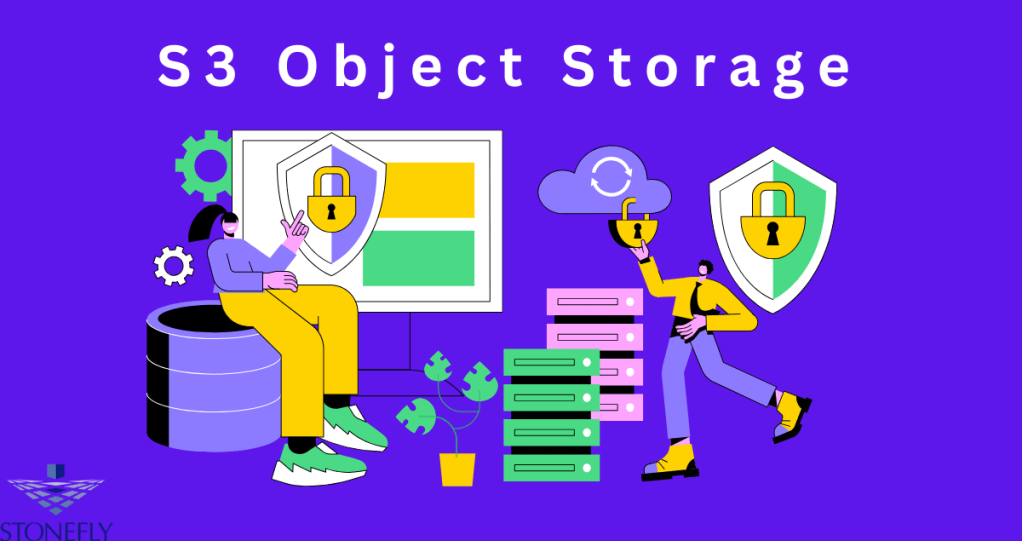
Managing and storing data efficiently is a core challenge in today’s technology-driven world. Among the leading solutions is S3 Object Storage—a flexible, scalable, and cost-effective method designed for organizing and managing unstructured data. This article explores what S3 object storage is, its key benefits, use cases, and how it compares to other storage options.
What is S3 Object Storage?
S3 object storage is a data storage architecture specifically designed for managing vast volumes of unstructured data as objects. Unlike traditional file or block storage, which relies on rigid hierarchies or low-level data blocks, S3 object storage breaks data down into objects. Each object includes:
- Data – The actual content stored, such as images, videos, documents, or backups.
- Metadata – Contextual details about the data, such as size, type, last modified date, or custom tags defined by the user.
- Unique Identifier – A distinctive key that allows the storage system to locate and retrieve objects quickly.
This storage model optimizes scalability and accessibility, making it a leading choice for developers and enterprises handling massive amounts of Unstructured Data.
Key Benefits of S3 Object Storage
The advanced design of S3 object storage offers several standout advantages, including scalability, resilience, and cost efficiency.
1. Unmatched Scalability
S3 object storage can handle virtually limitless data volumes. Whether you’re storing terabytes or exabytes, this architecture grows seamlessly without impacting performance. It’s ideally suited for dynamic environments where data demands are unpredictable.
2. Durability and Redundancy
S3 object storage ensures high data durability by replicating objects across multiple physical locations or storage nodes. This redundancy minimizes the risk of data loss, even if a hardware failure occurs.
3. Cost Efficiency
Built with affordability in mind, S3 object storage leverages tiered pricing models. This approach enables organizations to store infrequently accessed data at a lower cost while still keeping it accessible when needed.
4. Metadata-Driven Insights
The rich metadata structure supports advanced data management workflows. From compliance tracking to content organization, metadata significantly enhances the usability of stored data.
5. Global Accessibility
S3 object storage enables access from anywhere, supporting global collaboration. Features like application programming interfaces (APIs) make it easy to integrate with applications and cloud-native environments.
S3 Object Storage Versus Other Storage Solutions
File Storage Vs. S3 Object Storage
File storage organizes data into folders and directories, which can become cumbersome at scale. S3 object storage, in contrast, simplifies organization with its flat structure, easily managing millions or billions of objects without performance degradation.
Block Storage Vs. S3 Object Storage
Block storage focuses on high-speed transactions and low-latency operations, making it ideal for databases or virtualized environments. S3 object storage, on the other hand, is purpose-built for scalability and managing unstructured data like multimedia, backups, and analytics archives.
Use Cases for S3 Object Storage
S3 object storage’s versatility positions it as a reliable choice for a range of industries and applications.
1. Data Archiving
With its durability and cost-effectiveness, S3 object storage is ideal for long-term archiving of regulatory compliance documents, financial records, and historical data.
2. Big Data Analytics
Organizations with analytics platforms benefit significantly from S3 object storage’s ability to handle large unstructured datasets. Its architecture complements analytics workflows by enabling rapid retrieval.
3. Media Storage and Streaming
For industries like entertainment and e-learning, S3 object storage simplifies the management of video libraries and content repositories. Its scalability ensures uninterrupted high-quality streaming to end users.
4. Disaster Recovery
S3 object storage’s redundancy and global accessibility make it a natural fit for disaster recovery solutions. By replicating data in multiple locations, businesses can ensure minimal downtime in the face of interruptions.
Why S3 Object Storage is Essential in Modern IT
The increasing importance of unstructured data is transforming the way businesses operate. From customer insights and IoT sensor logs to video content, unstructured data plays a vital role in decision-making and innovation. S3 object storage provides the tools to store, protect, and analyze this data at scale. Its compatibility with cloud environments makes it indispensable for companies pursuing digital transformation and operational efficiency.
S3 object storage doesn’t just enable scalability—it also future-proofs an organization’s data strategy. By providing robust APIs and integration capabilities, S3 object storage seamlessly fits into hybrid and multi-cloud ecosystems, empowering businesses to harness the full potential of their data.
Conclusion
S3 object storage is a game-changing technology enabling organizations to manage unstructured data efficiently and cost-effectively. Its scalability, durability, and integration capabilities make it a foundational storage solution in today’s data-driven landscape. Businesses looking to future-proof their operations should consider leveraging S3 object storage to unlock new levels of efficiency and reliability in data management.
FAQs
1. What types of data are ideal for S3 object storage?
S3 object storage is ideal for storing unstructured data like images, videos, backups, and log files. It is especially suited for scalable applications such as analytics, content archiving, and media delivery.
2. Can S3 object storage integrate with hybrid cloud deployments?
Yes, S3 object storage is designed to integrate seamlessly into hybrid and multi-cloud environments, providing businesses with flexibility and global access to their data.
-
Subscribe
Subscribed
Already have a WordPress.com account? Log in now.
 Cloud Backup services