-
The Advantages of Local Object Storage for Your Data Management Needs
Managing data has become an essential part of running a business, and organizations of all sizes are always on the lookout for efficient and secure ways to store their data. That’s where local object storage comes in. Unlike traditional file storage systems, local object storage offers superior scalability, durability, and accessibility to businesses looking for a reliable data management solution. In this article, we’ll explore what local object storage is, how it works, and the advantages it can provide for your business. Whether you’re a small startup or a large corporation, keep reading to discover the benefits of Local Object Storage and how it can help your organization run more efficiently.
What is Local Object Storage?
Local object storage is a form of data storage that utilizes physical hardware located on-site at the customer’s premises. This type of storage is used by customers who need to manage large amounts of data, as it offers higher scalability, cost savings, and security than traditional file systems. Unlike cloud-based solutions, local object storage does not require users to send their data over the internet, so it can be accessed more quickly and securely.
How Does Local Object Storage Work?
Local object storage works by storing data on physical hardware at the customer’s premises. This allows customers to maintain full control of their data, ensuring its security and privacy. The hardware used for local object storage consists of a series of connected servers that are capable of storing large amounts of data. Customers can configure the hardware according to their exact specifications and requirements, allowing them to tailor their storage solutions accordingly.
Advantages of Local Object Storage
1. Scalability:
Local object storage offers superior scalability compared to traditional file systems. Customers can easily add more servers as needed, allowing them to store and manage vast amounts of data without compromising performance.
2. Durability:
Local object storage also provides greater durability than cloud-based solutions since the data is stored on physical hardware located on-site at the customer’s premises. This ensures that data is not lost in the event of an outage or other disaster.
3. Cost Savings:
Finally, local object storage can help businesses save money on their data storage costs since it eliminates the need for expensive cloud-based solutions. Additionally, customers are able to tailor their hardware configurations according to their exact requirements, allowing them to reduce costs by only using the servers they need.
Conclusion
Local object storage is an ideal solution for organizations looking for a reliable and secure way to store their data. It offers superior scalability, durability, and cost savings compared to traditional file systems, allowing businesses to manage their data more effectively. Whether you’re a small startup or a large corporation, local object storage can help your organization make the most of its data management needs.
FAQs
1. What is local object storage?
Local object storage is a form of data storage that utilizes physical hardware located on-site at the customer’s premises. This type of Storage is used by customers who need to manage large amounts of data, as it offers higher scalability, cost savings, and security than traditional file systems.
2. How does local object storage work?
Local object storage works by storing data on physical hardware at the customer’s premises. This allows customers to maintain full control of their data, ensuring its security and privacy. The hardware used for local object storage consists of a series of connected servers that are capable of storing large amounts of data.
-
Introduction to S3 Object Storage: What It Is and How it Works
S3 object storage is a popular cloud-based solution offered by numerous cloud providers that allows users to store, manage, and access large amounts of data. Whether it’s for personal or business purposes, S3 object storage provides users with the capability to store and access data securely and at scale. Unlike Block and File based storage, S3 object storage treats all data as an object and stores it on a flat address space within a single namespace, allowing for faster access times and easier management of data. In this article, we will dive deeper into S3 object storage and explore its features, benefits, and use cases.
What is S3 Object Storage?
At its core, S3 object storage is a cloud-based solution for storing and managing data. Rather than relying on physical hardware or software to store and access data, S3 object storage stores all data as objects within a single namespace. All of the objects are stored in the same flat address space regardless of their type, making it easy to manage and access data.
How Does it Work?
The objects stored in S3 object storage are organized into buckets. A bucket can be thought of as the top-level container for all of the data stored in S3. Within each bucket are folders, which can contain various types of objects such as text files, images, videos, and more.
How to Get Started With It?
- Create an S3 bucket to store your data.
- Upload objects into the bucket by either using the AWS Management Console or the command line interface (CLI).
- Configure access control settings to manage who can view and your data.
- Access Points to securely access content within a single S3 bucket from multiple locations.
- Control how S3 stores and distributes your data using Lifecycle Management rules.
- Monitor the performance of your S3 buckets using CloudWatch metrics and alarms.
- Securely share objects with others, even if they don’t have an AWS account, by creating pre-signed URLs or Signed Requests for object retrieval.
What are the Benefits of S3 Object Storage?
S3 object storage offers numerous benefits over traditional storage solutions such as faster access times, scalability, cost savings, and more. Some of the key benefits include:
• Scalable:
With S3 object storage, users can increase or decrease the amount of data they store based on their needs. This flexibility allows companies to remain agile and scale up or down depending on their requirements.
• Cost-Effective:
By using S3 object storage, businesses can save money by only paying for the Data that is stored and accessed.
• Secure:
With built-in encryption, access controls, and other security features, S3 object storage is a secure way to store data.
• Highly Available:
By leveraging the resources of the cloud provider, users can ensure that their data is always available and accessible.
Conclusion
S3 object storage makes it easier for businesses to store and access large amounts of data quickly and cost-effectively. With features like scalability, secure storage, and high availability, it is no wonder why S3 object storage is becoming an increasingly popular choice for businesses looking to store their data in the cloud. By leveraging the power of S3 object storage, businesses can ensure that their data remains secure and available, while also saving money in the process.
FAQs
1. What is S3 object storage?
S3 object storage is a cloud-based data storage solution that stores all data as objects within a single namespace. It offers features like scalability, cost savings, and secure storage.
2. How does it work?
S3 object storage stores all objects in the same flat address space regardless of their type. All data is stored in buckets, which can contain various types of objects such as text files, images, videos, and more.
-
Protecting Your Data with Air Gap Backup
In today’s digital age, data protection is more important than ever. One way to ensure the safety of your important data is through air gap backup. Air Gap Backup involves storing data on a physical device that is completely disconnected from the internet or any other network, making it virtually impossible for hackers or malware to access the data. In this article, we will explore the benefits of air gap backup and why you should consider implementing it for your data protection needs.
What is Air Gap Backup?
Air gap backup is a type of data protection that involves storing data on a physical device that is not connected to any other networks. This means the data can only be accessed by physically connecting the device directly to another computer or network, making it virtually invulnerable to hackers and malware. Air gap backups are often used in conjunction with traditional cloud-based backups, so that if the cloud-based backup fails, the data will still be available on the air gap device.
Advantages of Air Gap Backup
1. Increased Security:
By removing the data from any connected networks, you can protect it from malicious attacks and unauthorized access. Air gap backup is particularly useful for protecting sensitive and confidential information.
2. Cost-Effective:
Air gap backups require minimal upfront investment in hardware or software. All you need to get started is a device with enough storage capacity to store your data, and a connection cable to transfer the data from one device to another.
3. Versatile:
Air gap backups can be used with virtually any type of system or device, making it easy for businesses and individuals to use air gap backup solutions regardless of their size or budget.
4. Quick and Easy Setup:
Unlike other backup Solutions, air gap backups can be set up quickly and easily with minimal technical knowledge. With the right device, you can start backing up your data in just a few minutes.
5. Reliable and Durable:
Air gap backups are very reliable and durable, as they do not require an internet connection or any other external connection to function. This makes them ideal for places where internet access is unreliable or unavailable.
6. Easy File Restoration:
If you ever need to restore the data from an air gap backup, it is easy and straightforward to do so. All you need is the device with the backed up data and a connection cable.
Conclusion
Air gap backup is a great way to protect your data from malicious attacks or unauthorized access. It requires minimal investment and is easy to set up, making it accessible for businesses and individuals alike. Additionally, air gap backups are reliable, durable, and offer quick and easy restoration if needed. For these reasons, air gap backup should be considered as part of any comprehensive data protection strategy.
FAQs
1. What is air gap backup?
Air gap backup refers to the practice of keeping data on a physical device that is not connected to any other networks. This protects the data from malicious attacks or unauthorized access.
2. Is air gap backup secure?
Yes, air gap backups provide an additional layer of security as they are physically disconnected from any other networks.
-
Effortless Data Management with S3 Storage Appliances
Data storage has become a critical concern for businesses of all sizes. As the volume of data that businesses generate continues to grow exponentially, traditional storage solutions are becoming inefficient and costly. S3 Storage Appliances provide businesses with a simple yet effective solution, offering scalable and cost-effective storage for large amounts of data.
These appliances are designed with the S3 API in mind, making it easy for businesses to integrate them into their existing workflows. Unlike traditional storage solutions, S3-Compatible storage appliances offer businesses greater control over their data, including data security and compliance. In this article, we will explore the benefits of S3-Compatible storage appliances and how they can help businesses manage their data more efficiently.
What is S3 Storage Appliances?
S3 Storage Appliances are a type of storage solution that is S3-Compatible. The appliances allow businesses to store and manage large amounts of data in an efficient and cost-effective manner. They allow businesses to take advantage of the scalability and flexibility of the cloud without having to invest in costly hardware. By using an S3-Compatible storage appliance, businesses can easily migrate their data from on-premises storage solutions to the cloud.
Types of S3 Storage Appliances
There are several types of S3-Compatible storage appliances available to businesses:
1. Network Attached Storage (NAS) Appliances:
These appliances are designed to be connected to a local area network or the internet, allowing businesses to access data from anywhere in the world. NAS appliances provide businesses with the flexibility and scalability of cloud storage without having to invest in expensive hardware.
2. Direct Attached Storage (DAS) Appliances:
These appliances are designed to be directly connected to a single server or computer. DAS appliances provide businesses with the ability to store data locally, making them ideal for applications that require fast access times and lower latency.
3. Cloud Storage Gateways:
These gateways enable businesses to access cloud storage services from a local device. Cloud Storage Gateways allow businesses to access cloud storage services without having to move their data or manage complex software configurations.
Benefits of S3-Compatible Storage Appliances
1. Scalability:
S3-Compatible storage appliances provide businesses with the ability to scale up their data storage capacity as needed, as well as the ability to store data in multiple geographical locations. This allows businesses to keep up with their ever-changing data needs.
2. Cost Efficiency:
By using an S3-Compatible storage appliance, businesses can save on hardware costs while still being able to access their data from any device or location. These appliances also reduce the cost of data management and ensure that businesses are always compliant with regulations.
3. Security:
S3-Compatible storage appliances offer businesses the ability to secure their data through encryption and access control measures. This ensures that only authorized users have access to business-critical information.
4. Reliability:
By using S3-Compatible storage appliances, businesses can be sure that their data is always available and that they can access it quickly. This ensures that businesses are able to remain competitive in their markets and provide a reliable service to their customers.
Conclusion
S3 Storage Appliances are an effective solution for businesses looking to store and manage large amounts of data in an efficient and cost-effective manner. These appliances provide businesses with the flexibility and scalability of cloud storage, as well as the security and reliability needed to remain competitive in their markets. By using an S3-Compatible storage appliance, businesses can easily migrate their data from on-premises storage solutions to the Cloud while also taking advantage of cost savings. Additionally, these solutions provide businesses with the ability to securely store data and access it quickly from any device or location.
FAQs
1. What is an S3 Storage Appliance?
An S3 Storage Appliance is a type of storage device that is compatible with Amazon’s Simple Storage Service (S3). These appliances provide businesses with the flexibility and scalability of cloud storage without having to invest in costly hardware.
2. What are the benefits of using an S3-Compatible storage appliance?
S3-Compatible storage appliances provide businesses with the ability to scale up their data storage capacity as needed, access data from any device or location, reduce costs associated with data management, and ensure that their data is secure.
-
Everything You Need to Know About S3 Storage Solutions
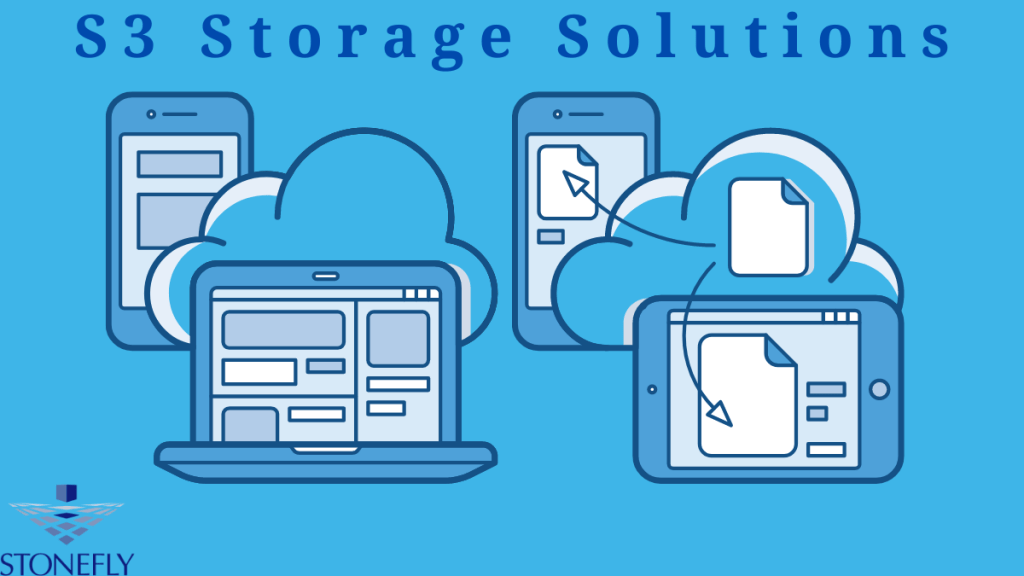
In today’s fast-paced and data-driven world, efficient data storage has become essential for businesses of all sizes. Simple Storage Service (S3) is a highly scalable and cost-effective data storage solution that provides businesses with unlimited storage capacity and fast data access times. S3 Storage Solutions are designed to reduce infrastructure costs, increase data durability, and enhance data protection mechanisms. In this guide, we’ll dive into the world of S3 storage solutions and explore everything you need to know to make informed decisions about your data storage needs.
What is S3 Storage Solutions?
S3 storage is a cloud-based data storage service that allows businesses to store and retrieve their data from anywhere, anytime. It’s an online storage solution that provides scalability, reliability and security for your data. S3 storage solutions are designed for fast access times, high performance, and cost savings.
How Does S3 Storage Work?
S3 storage works by allowing users to store their data in multiple servers spread across different geographical locations. This helps ensure that the data is safe, secure, and always available. With S3 storage solutions, businesses can access their data from any device or location with an internet connection.
Types of S3 Storage Solutions
S3 storage solutions come in various forms, including:
1. Standard S3 Storage:
This type of storage is designed for general purpose use cases and offers low latency, high durability and availability.
2. Infrequent Access (S3-IA):
This type of storage is optimized for data that isn’t accessed frequently, making it more cost-effective than standard S3 storage.
3. Intelligent-Tiering:
This type of storage is designed for data that may not need to be accessed frequently and can automatically move the data to the most cost-effective Storage tier.
4. Glacier Storage:
This type of storage is designed for long-term archival purposes, with retrieval times ranging from minutes to hours.
5. Glacier Deep Archive:
This type of storage is designed for the lowest-cost long-term data archival solution and has retrieval times ranging from hours to days.
Benefits of S3 Storage Solutions
S3 storage solutions offer a number of benefits, including:
1. Low Cost:
S3 storage solutions are highly cost-effective and provide businesses with savings on storage costs.
2. High Performance:
S3 storage solutions are designed for high performance, offering up to 10 times faster data access than traditional storage solutions.
3. Data Durability:
S3 storage solutions offer enhanced durability and protection mechanisms to ensure that your data is safe and secure.
4. Flexibility:
S3 storage solutions are highly flexible and can be scaled up or down quickly to meet changing business needs.
5. Security:
S3 storage solutions provide businesses with enhanced security features, such as encryption, authentication, access control, and auditing tools.
Conclusion
S3 storage solutions provide businesses with a cost-effective, reliable and secure data storage solution that can be scaled to meet their changing needs. By leveraging the benefits of S3 storage solutions, businesses can ensure that their data is safe and always available. We highly recommend StoneFly S3 storage solutions to businesses looking for an affordable and reliable way to store, access and protect their data.
FAQs
1. What is S3 storage?
S3 storage is a cloud-based data storage service that allows businesses to store and retrieve their data from anywhere, anytime. It’s an online storage solution that provides scalability, reliability and security for your data.
2. How does S3 Storage work?
S3 storage works by allowing users to store their data in multiple servers spread across different geographical locations. This helps ensure that the data is safe, secure, and always available.
-
StoneFly’s S3 Storage Appliance: Enhanced Security, Flexibility, and Performance
In today’s fast-paced digital world, businesses generate vast amounts of data daily. With the growing importance of data, it is essential for companies to have a secured and scalable storage solution to manage it efficiently. In this article, we’ll explore what makes StoneFly S3 Storage Appliance unique and why it’s the perfect storage solution for businesses looking to enhance their data security, flexibility, and performance.
What is S3 Storage Appliance?
S3 Storage Appliance is a turnkey unified storage system that combines the power of an on premise storage solution with the flexibility of cloud computing. It enables businesses to store, manage and access data quickly and securely while providing scalability and business continuity features.
Key Features of StoneFly S3 Storage Appliance
1. Enhanced Security
StoneFly’s S3 Storage Appliance provides enhanced security by encrypting data at rest and in transit, making sure that confidential information is kept safe from intruders. It also prevents unauthorized access to your storage environment with multi-factor authentication and role-based access control (RBAC).
2. Flexible Storage Options
The appliance offers flexible storage options, including the ability to increase or reduce capacity on demand, depending on your business’ needs. With its data tiring capabilities, you can store different types of data in various tiers and easily switch between them as needed.
3. High Performance
StoneFly’s S3 Storage Appliance ensures high performance with its fast read/write speeds, low latency and reduced cost of ownership. With its advanced caching algorithms, it can help reduce application response times and improve overall performance.
4. Easy to Manage
The appliance is easy to manage with a comprehensive user interface that enables you to quickly configure Storage settings for specific applications or workloads. It also provides visibility into system performance and real-time analytics to help you optimize your storage environment.
Conclusion
StoneFly’s S3 Storage Appliance is the perfect solution for businesses looking to enhance their data security, flexibility, and performance. With its advanced features, it can help you manage and access data quickly and securely with the scalability and business continuity that you need. Whether you’re a small business or an enterprise, StoneFly’s S3 Storage Appliance can help you get the most out of your storage environment.
FAQs
1. What are the benefits of StoneFly’s S3 Storage Appliance?
The appliance offers enhanced security, flexible storage options, high performance and easy to manage features for businesses looking to maximize their efficiency.
2. Is the appliance scalable?
Yes, it is highly scalable and provides data tiring capabilities so you can easily switch between different types of data.
-
Introducing StoneFly’s S3 Appliance: A Comprehensive Backup and Disaster Recovery Solution

In today’s world, data is the backbone of every business. Losing essential data can result in catastrophic consequences. Therefore, it’s imperative to have a backup and disaster recovery solution in place to prevent any data loss or downtime. StoneFly’s S3 Appliance is a fully integrated backup and disaster recovery solution that helps organizations safeguard their data against any unforeseen circumstances. With Amazon S3 compatibility and 14 different data protection solutions, the S3 Appliance provides a one-stop-shop for all data backup and disaster recovery needs. Let’s dive deeper into what makes StoneFly’s S3 Appliance unique and why it’s the perfect solution for your data protection and recovery needs.
What is S3 Appliance?
StoneFly’s S3 Appliance is a comprehensive backup and disaster recovery solution designed to protect businesses from data loss. It provides comprehensive data protection, disaster recovery and cloud storage capabilities in a single appliance. It is compatible with Amazon S3 and can be used to store, back up, replicate, access and share data between different locations. With 14 different data protection solutions, the S3 Appliance offers organizations a reliable and secure way to protect their valuable data.
Features and Benefits of StoneFly’s S3 Appliance
1. Backup and Disaster Recovery:
The S3 Appliance enables organizations to back up their data in the cloud or local storage, as well as replicate it between different locations. This helps ensure that businesses can recover from any unexpected disaster quickly and effectively.
2. Data Compression & Deduplication:
StoneFly’s S3 Appliance offers data compression and deduplication capabilities that reduce the amount of storage space needed for backups. This helps organizations save on costs as they can back up more data without needing to invest in additional storage capacity.
3. Cloud Access & Sharing:
The S3 Appliance allows users to access their data stored in the cloud and share it with anyone, anywhere. This makes it easy to collaborate and share information with colleagues, customers or partners.
4. Security & Encryption:
The S3 Appliance provides robust security features and encryption capabilities to protect data from unauthorized access. This ensures that only authorized personnel can view the Data stored on the appliance.
Conclusion
StoneFly’s S3 Appliance is a comprehensive backup and disaster recovery solution that helps organizations protect their data from any unforeseen circumstances. We hope this article helps you understand what the S3 Appliance offers and why it’s the perfect solution for your data protection and recovery needs. If you are looking for a reliable and secure way to back up, replicate, access and share data between different locations, then StoneFly’s S3 Appliance is exactly what you need.
FAQs
1. What is StoneFly’s S3 Appliance?
StoneFly’s S3 Appliance is a comprehensive backup and disaster recovery solution designed to protect businesses from data loss. It provides comprehensive data protection, disaster recovery, and cloud storage capabilities in a single appliance.
2. Does the S3 Appliance offer encryption capabilities?
Yes, the S3 Appliance offers encryption capabilities to protect data from unauthorized access. This ensures that only authorized personnel can view the data stored on the appliance.
-
S3 Appliance: The Reliable Solution for Secure Data Storage
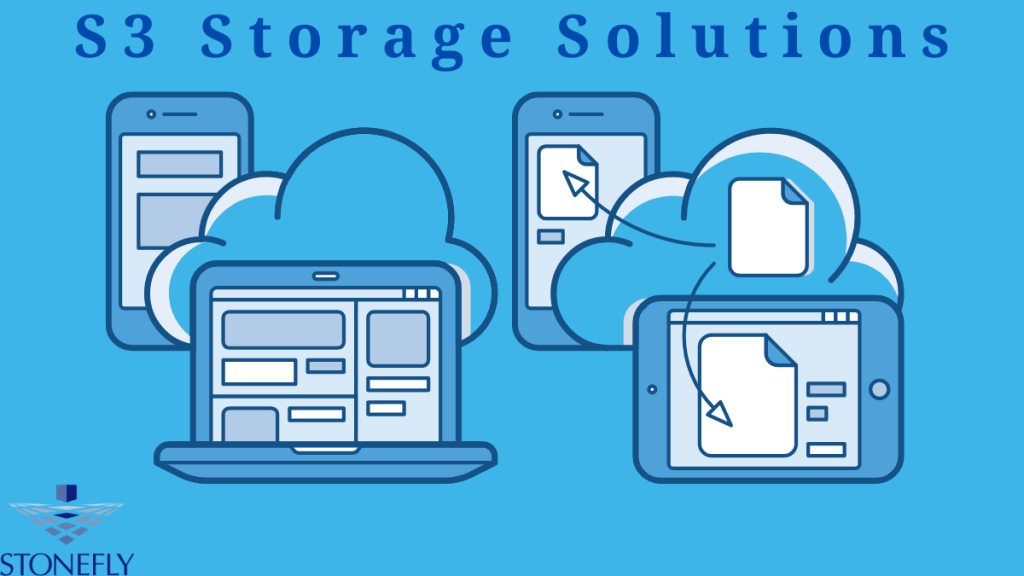
In today’s digital age, data management is crucial for any organization. While cloud storage has become increasingly popular, some businesses prefer to keep their data on-premises for security reasons. This is where S3 (Simple Storage Service) Appliance comes into play. S3 Appliance is a hardware device that provides a secure and reliable option for data storage. This solution offers the scalability and flexibility of cloud storage, while maintaining the control and security of on-premises storage.
What is S3 Appliance?
It is a hardware appliance that allows organizations to store, manage, and protect data in an on-premises environment. The device contains all of the necessary components for storage and can be easily integrated into existing networks. It also allows users to access their stored data from anywhere in the world through an internet connection.
Types of S3 Appliances
There are several types of S3 appliances that can be used for different purposes. Some of the most popular ones include:
1- High Capacity Storage (HCS):
This type of appliance is designed to store large amounts of data securely. It has multiple drives and advanced RAID technology which provides data redundancy and resiliency in case of a drive failure.
2- Object Storage:
This type of appliance is designed for organizations that need to store large amounts of unstructured data. It allows users to access and manage their data from anywhere in the world without having to install any software or hardware.
3- Archive Appliance:
This type of appliance is designed for long-term storage and archiving. It offers data durability and reliability through its advanced RAID technology and compression algorithms.
Conclusion
S3 Appliance is a reliable and secure solution for organizations that need to store their data on-premises. It offers the scalability and flexibility of cloud storage, while providing the control and security of on-premises storage. With its various types, S3 Appliance can meet the needs of any organization looking for a secure data storage solution. Whether it is for high capacity storage, object storage, or archiving, S3 Appliance is the solution you need.
FAQs
1. What is S3 Appliance?
S3 Appliance is a hardware appliance that allows organizations to store, manage, and protect data in an on-premises environment.
2. What types of S3 Appliances are available?
The most popular types are High Capacity Storage (HCS), Object Storage, and Archive Appliance.
-
Streamline Data Storage with StoneFly’s Object Storage Appliance
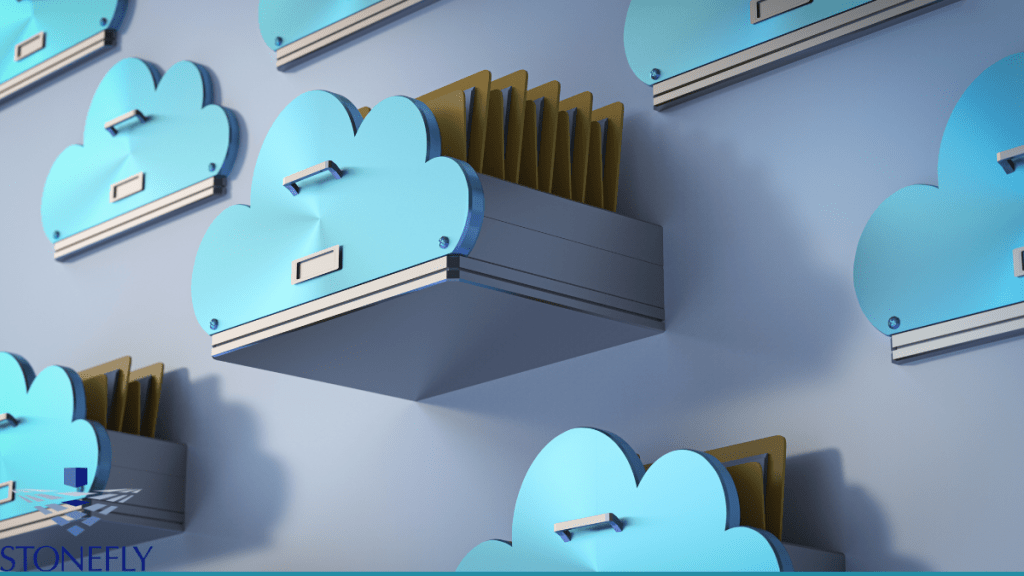
As the amount of data being generated by businesses continues to grow, the need for a cost-effective and scalable storage solution is becoming increasingly important. This is where object storage comes into play, offering a more flexible and scalable approach to storing and managing the vast amounts of data generated by today’s businesses. StoneFly’s Object Storage Appliance is a powerful and efficient data management solution designed to offer comprehensive data storage capabilities that streamline data management while reducing costs. With its intuitive interface and high-performance storage architecture, the object storage appliance delivers exceptional results for businesses of any size. Let’s explore more about StoneFly’s Object Storage Appliance and how it can help your business scale and streamline data storage needs.
What is Object Storage Appliance?
Object storage is a type of data storage in which data is stored and managed as objects, rather than blocks or files. This type of storage offers more flexibility compared to traditional block or file-based storage systems, making it ideal for storing large amounts of unstructured data such as images, videos, audio files and other digital assets.
Key Features & Benefits of StoneFly’s Object Storage Appliance
StoneFly’s Object Storage Appliance offers a host of features and benefits:
1. Scalability:
One of the key advantages of object storage is its scalability. With StoneFly’s Object Storage Appliance, it’s easy to scale up or down as needed, allowing businesses to quickly and easily expand their data storage capacity as demand grows.
2. Reliability & Security:
The appliance also provides reliable protection for data stored in the cloud, with enhanced data protection and security that ensures data remains safe and secure.
3. Cost-efficiency:
Object storage also offers businesses cost-efficiency compared to traditional storage systems, as it eliminates the need for additional hardware or software licenses.
4. Intelligent Data Storage:
StoneFly’s Object Storage Appliance offers intelligent data storage capabilities, allowing businesses to better manage and organize their data for faster retrieval and analysis.
5. Easy Integration & Management:
Finally, the appliance is designed for easy integration with existing IT infrastructure and systems, making it easier to manage and maintain.
Conclusion
StoneFly’s Object Storage Appliance is a powerful and efficient data management solution that helps businesses streamline their data storage needs. With its intuitive interface, scalability, reliability and cost-efficiency, this appliance provides businesses of any size with an ideal platform to store, manage and analyze their data.
FAQs
1. What is object storage?
Object storage is a type of data storage in which data is stored and managed as objects, rather than blocks or files. Object storage offers more flexibility compared to traditional block or file-based storage systems.
2. What are the key features of StoneFly’s Object Storage Appliance?
StoneFly’s Object Storage Appliance offers scalability, reliability and security, cost-efficiency, intelligent data storage capabilities, and easy integration and management.
-
Protecting Your Data with Air Gap Backups
Air Gap Backup Solutions are a highly effective and secure way to protect your data from potential cyber-attacks and data breaches. An air gap backup involves physically isolating backup data from any network or system, either by using a secondary offline network or storing data on a removable storage device that’s not connected to the internet or a network. By doing this, air gap backups ensure that sensitive data is protected from any outside threat, ensuring data integrity and providing an added layer of security. In this article, we’ll take a closer look at air gap backups, how they work, and why they’re an essential component of any comprehensive data protection plan.
What are Air Gap Backups?
Air gap backups are a type of backup strategy that protects data by physically isolating it from any system or network. The purpose of an air gap is to ensure that any potential threats from outside sources, such as malware or malicious actors, cannot access the backed-up data. This means that even if your primary system or network is compromised, your data will remain safe and secure.
How Air Gap Backups Work
Air gap backups involve physically separating the backup data from any system or network, either by using a secondary offline network or storing data on a removable storage device (e.g., USB drive, hard drive, etc.) that’s not connected to the internet or a primary network.
Essential of Air Gap Backups
Air gap backups provide several key advantages that make them an essential component of any comprehensive data protection strategy:
1. Isolation:
By physically disconnecting the backup Data from any system or network, air gap backups reduce the risk of a potential cyber-attack or malicious actor accessing your data.
2. Reliability:
Because air gap backups are not connected to a network or system, they remain reliable even if the primary system or network is compromised. This means that your data will still be secure and accessible even in the event of a cyber-attack or other threat.
3. Cost:
Air gap backups are generally cheaper than traditional backup solutions because they require less hardware and resources to set up and maintain.
Conclusion
Air gap backups are a highly effective and secure way to protect your data from potential cyber-attacks and data breaches. By physically isolating the backup data from any system or network, air gap backups ensure that sensitive data is protected from any outside threat, ensuring data integrity and providing an added layer of security. Air gap backups are an essential component of any comprehensive data protection plan, and can help ensure that your data remains secure in the event of a cyber-attack or other threat. By following best practices for air gap backups, such as regularly backing up data to offline storage devices, organizations can protect their data and prevent costly breaches.
FAQs
1. What is an air gap backup?
An air gap backup is a type of data backup strategy that involves physically isolating the backup data from any system or network, either by using a secondary offline network or storing data on a removable storage device (e.g., USB drive, hard drive, etc.) that’s not connected to the internet or a primary network.
2. Why are air gap backups important?
Air gap backups are an essential component of any comprehensive data protection strategy, as they provide an added layer of security by ensuring that sensitive data is protected from any outside threat and cannot be accessed by malicious actors or cyber criminals.
-
Subscribe
Subscribed
Already have a WordPress.com account? Log in now.
 Cloud Backup services